




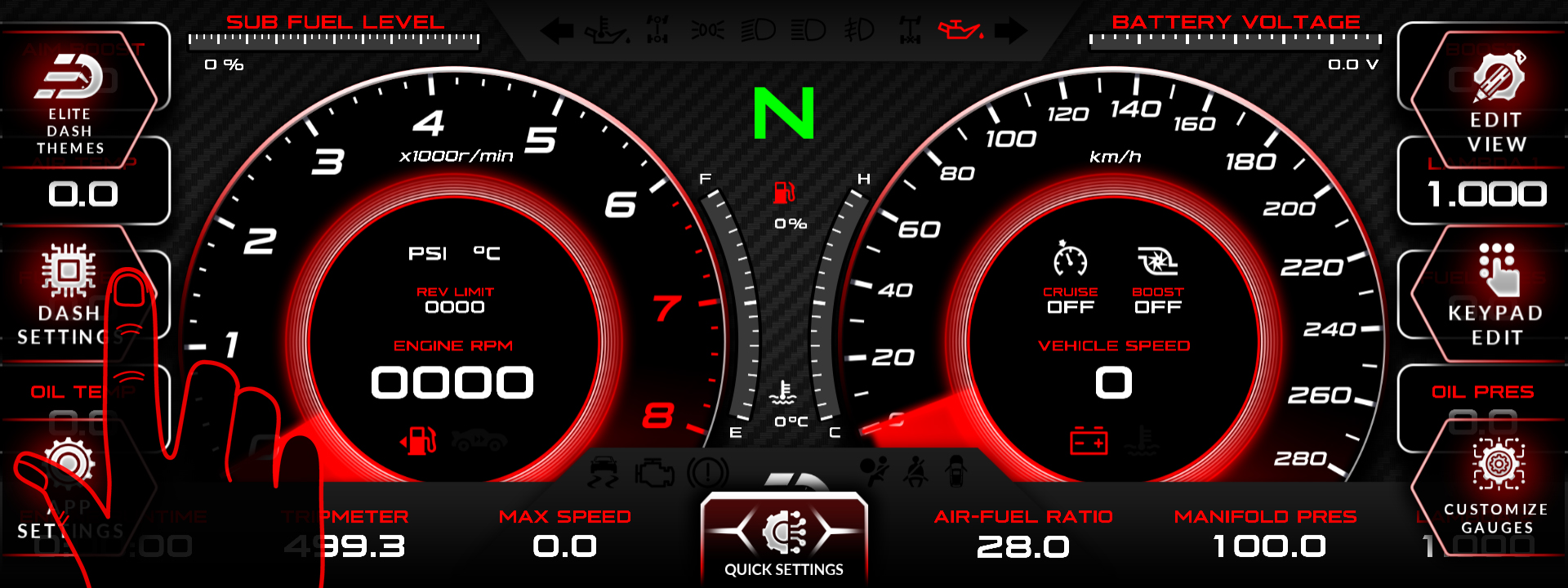
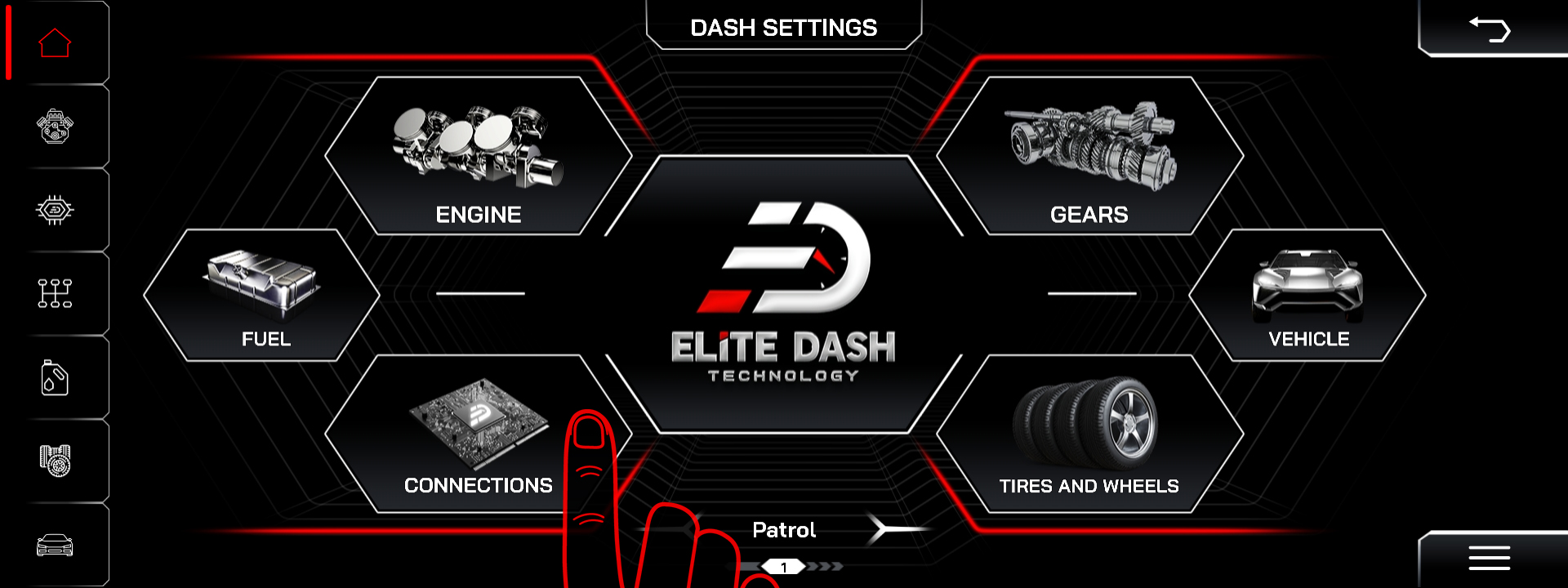
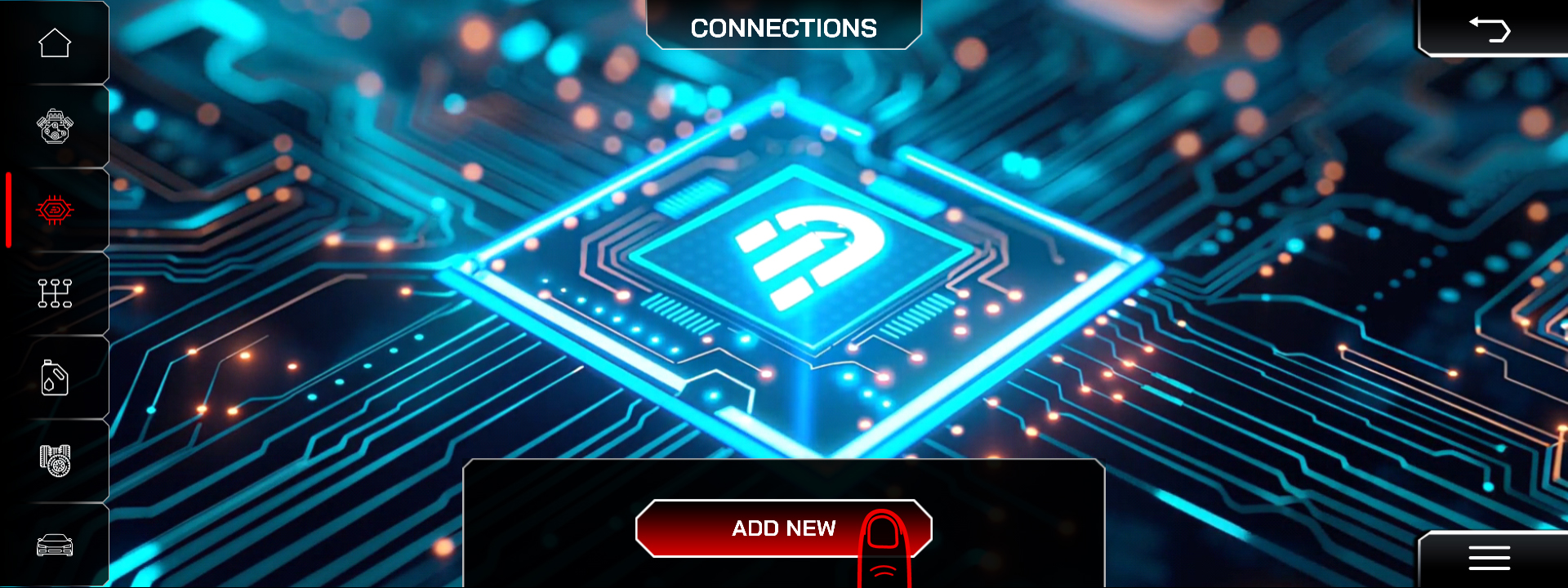
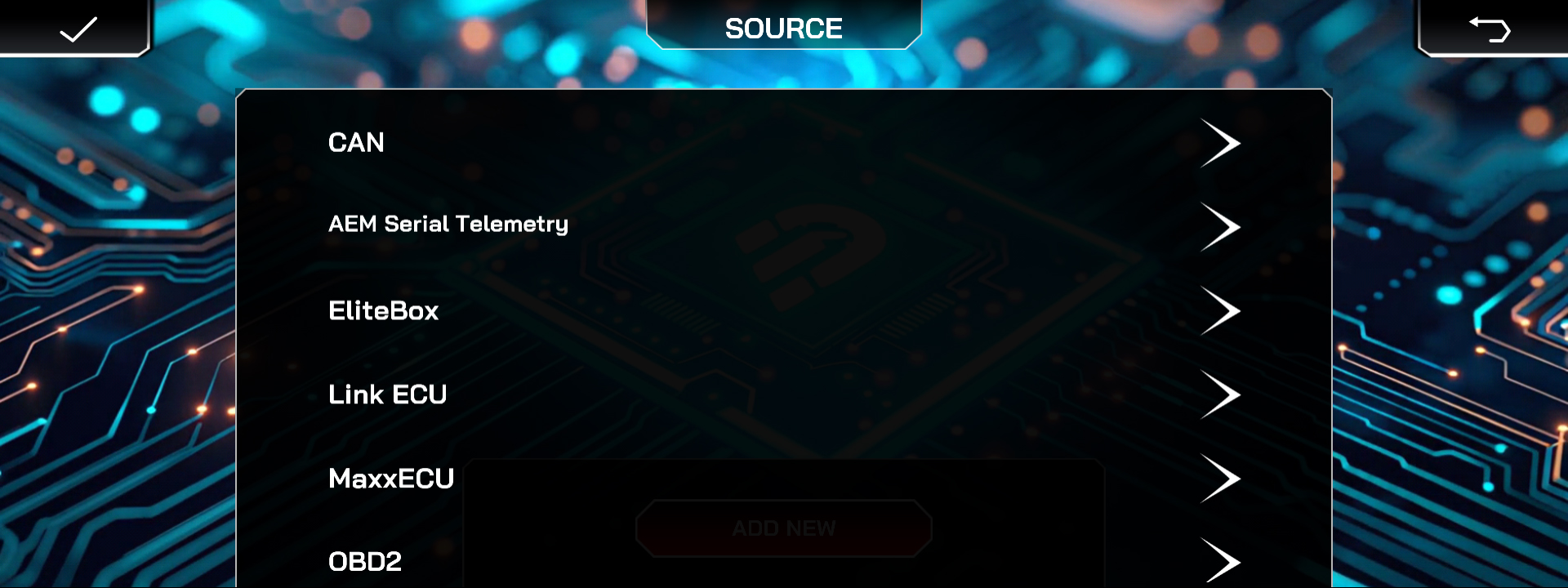
Press the top middle of the screen to open the menu, select DASH SETTINGS, open Connection, then press ADD and choose your ECU from the list of available sources.
The Connection screen is the single place the app looks for incoming data. If nothing is listed here, the screen has no data source and every gauge reads zero regardless of how well the CAN wiring is done.
Steps:
- Press the top middle of the screen. The menu bar appears.
- Press DASH SETTINGS.
- Open Connection to view the current list of data sources.
- Press ADD to create a new connection.
- Select your ECU from the list of available sources.
Confirm it worked by starting the engine and checking that RPM and coolant temperature move. Those two channels exist on almost every configuration, so they are the fastest test.
Related: How to Connect MaxxECU to EliteDash · My Screen Turns On but Shows No ECU Data · Understanding CAN XML Files and Channel Mapping

