




You can reset the oil service notification through the Quick Settings menu after completing an oil change or scheduled service.
Reset the Service Notification
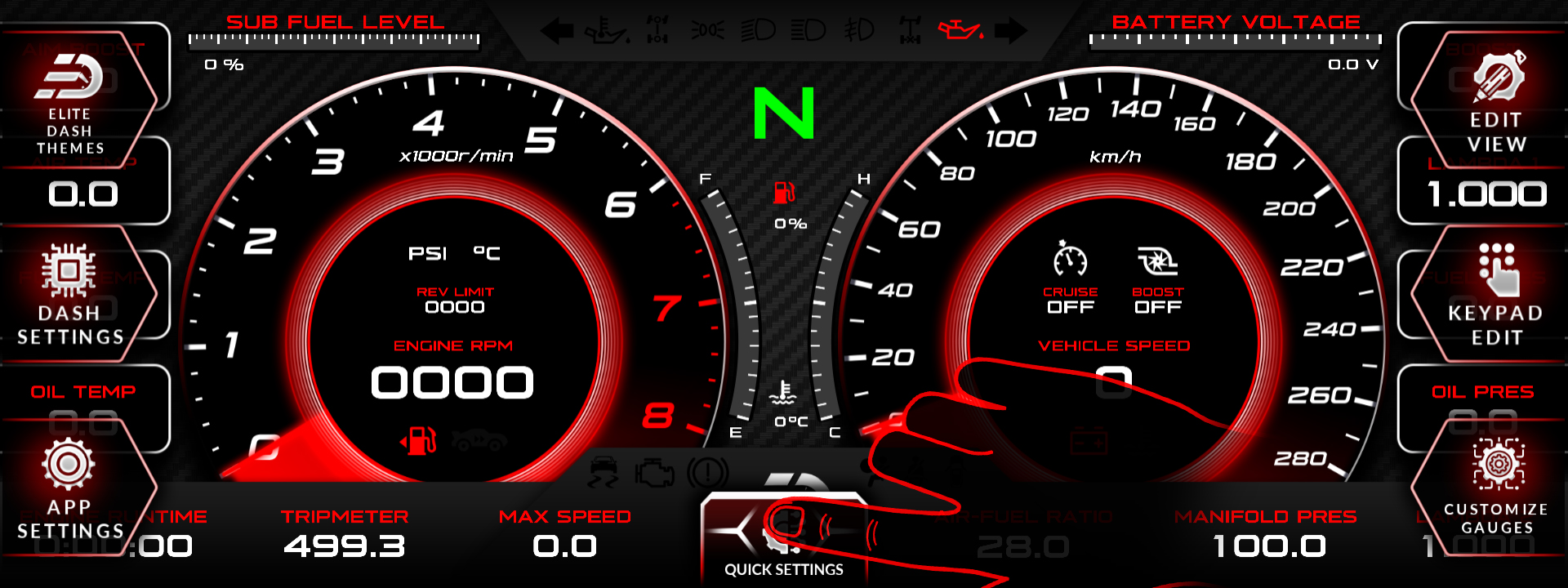
- Press the top middle on the dashboard screen to display the on-screen menu.
- Press Quick Settings, located at the bottom center of the screen.
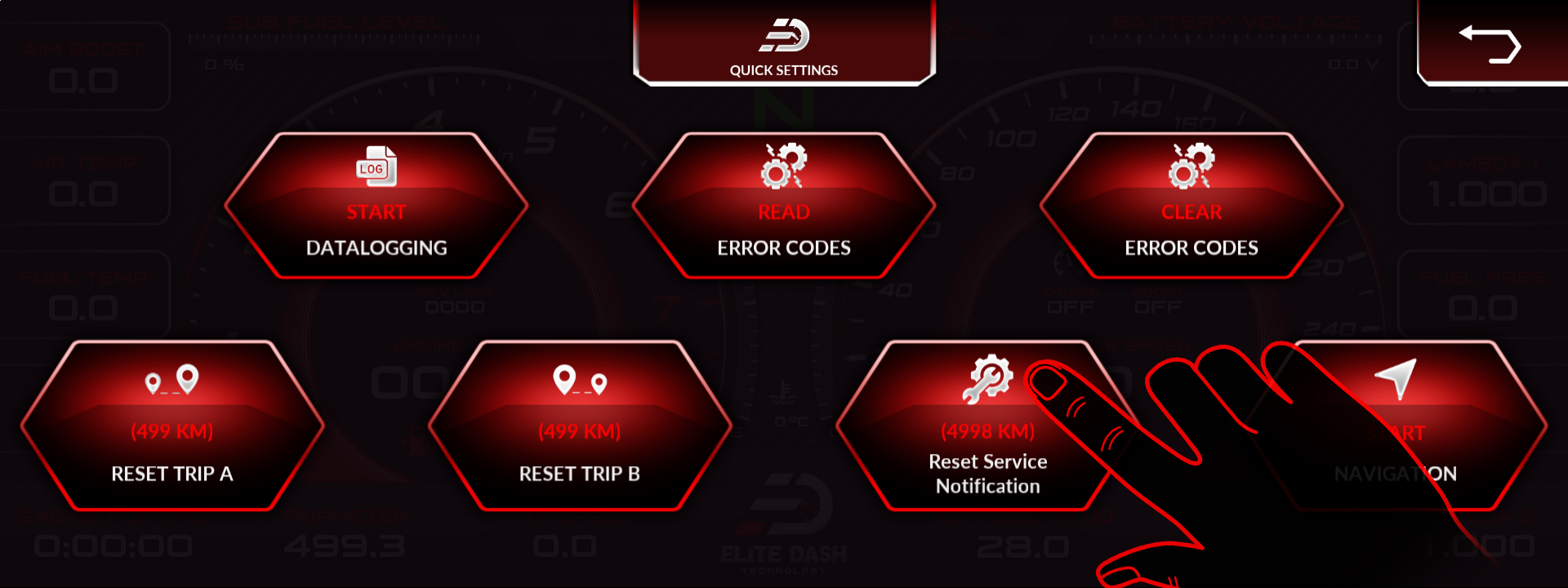
- Find and press Reset Service Notification.
- The current oil service reminder will be reset.
Change the Oil Service Interval
To adjust how often the oil service notification appears:
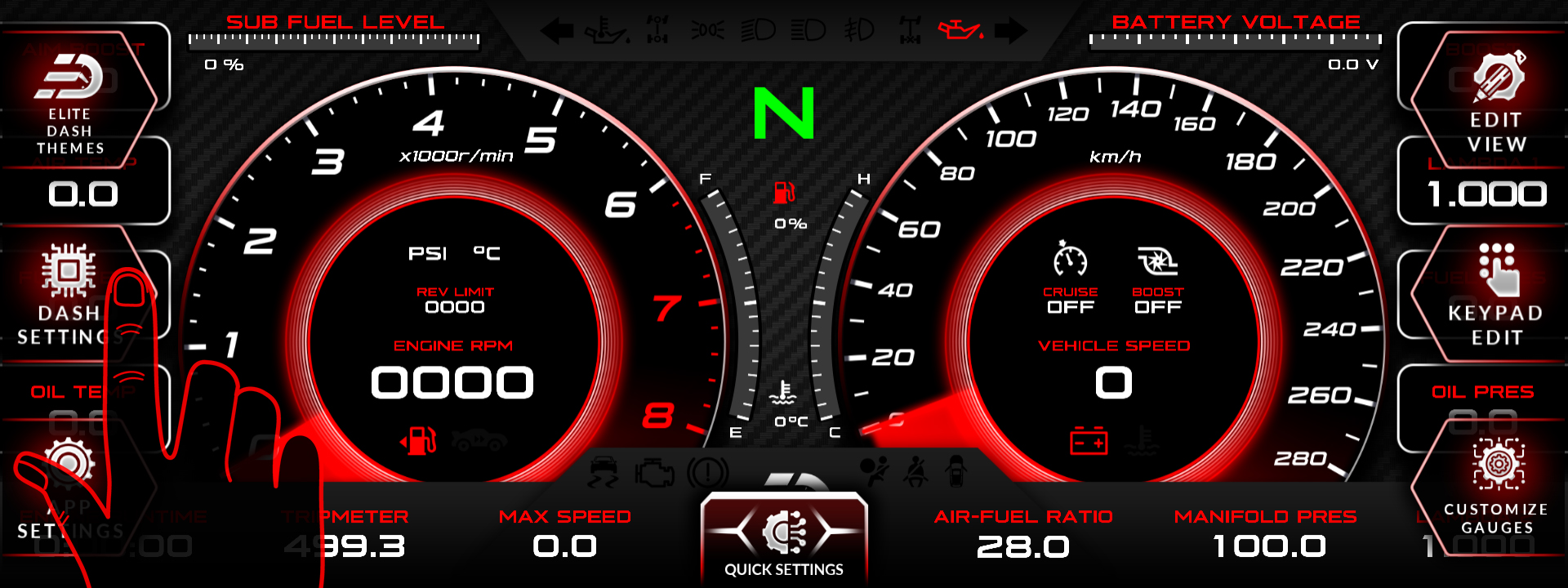
- Press the top middle on the dashboard screen to display the on-screen menu.
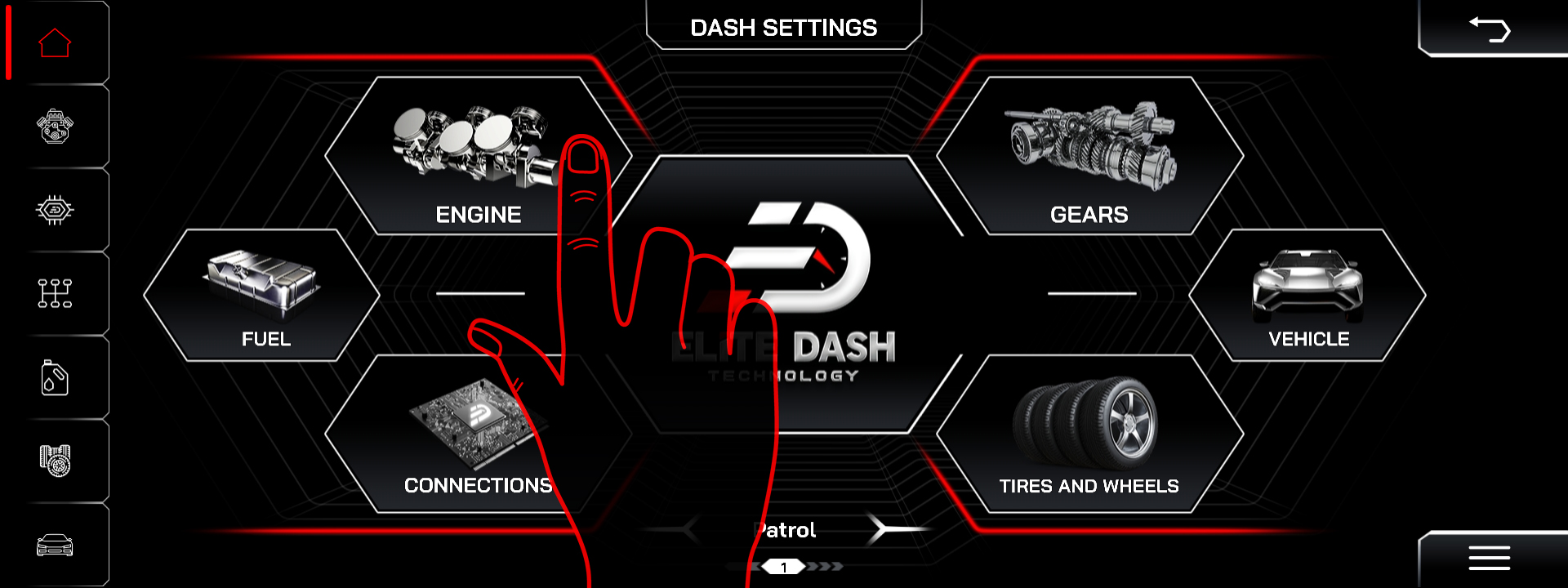
- Open Dash Settings.
- Select Engine.
- Find Distance Between Services.
- Enter your preferred service interval.
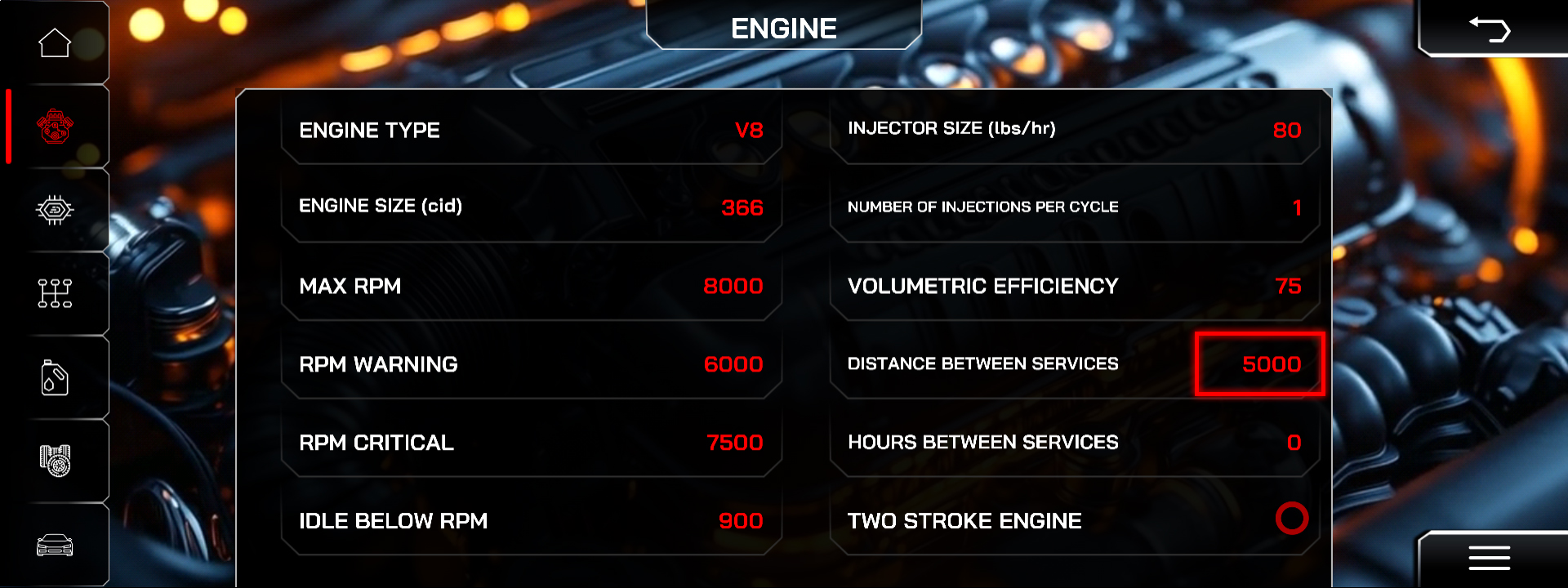
The dashboard will display the next oil service notification after the vehicle reaches the configured distance.

