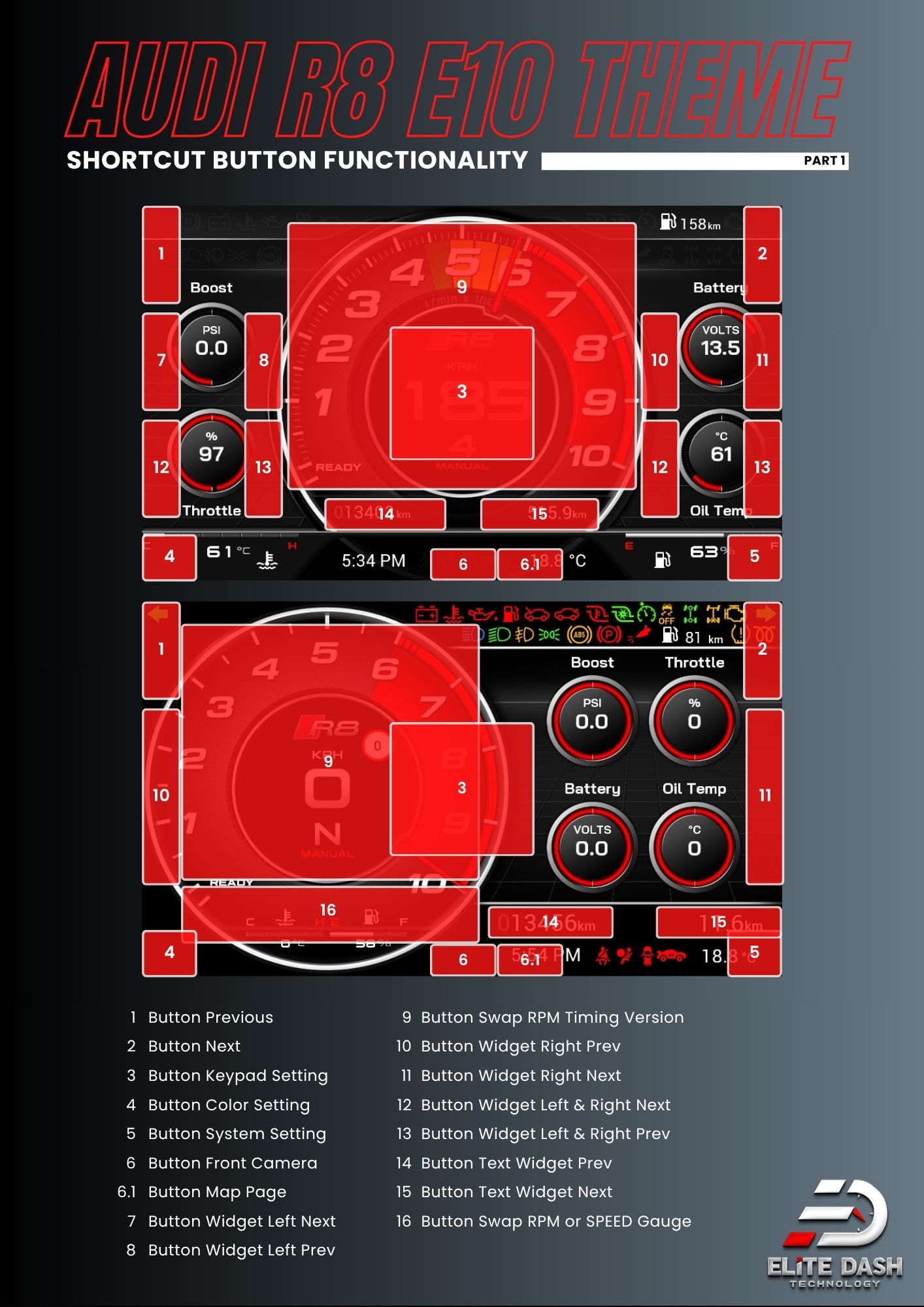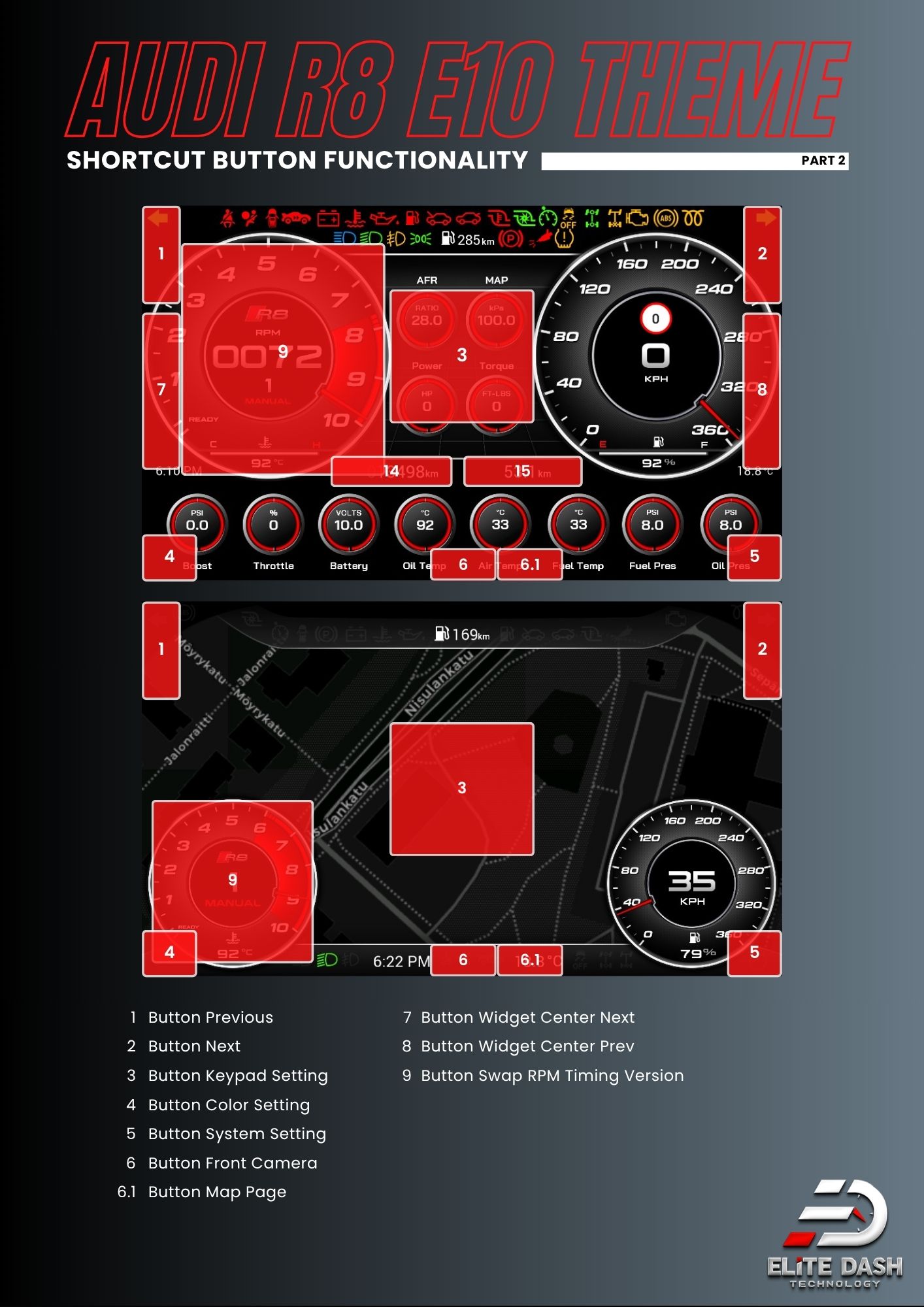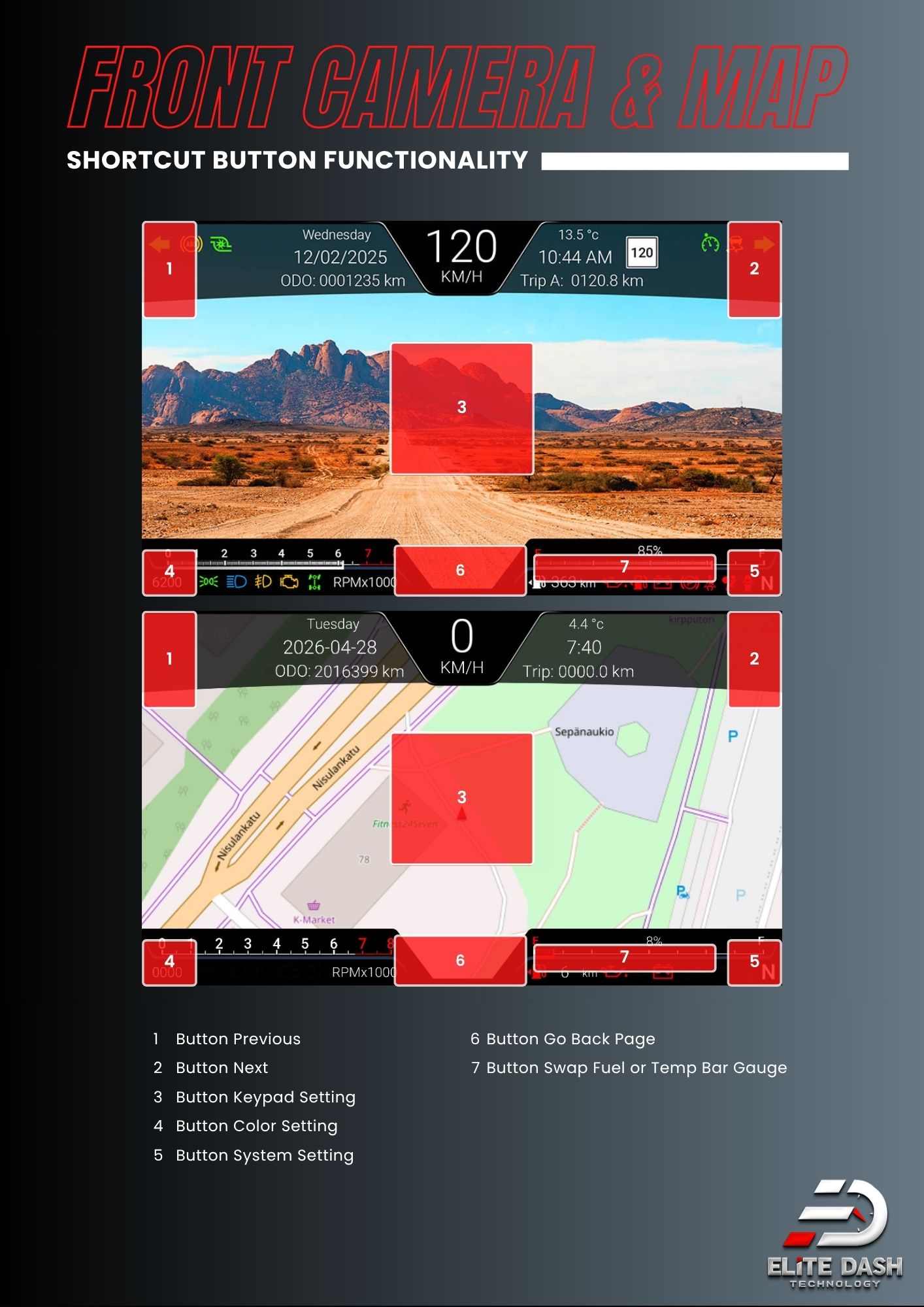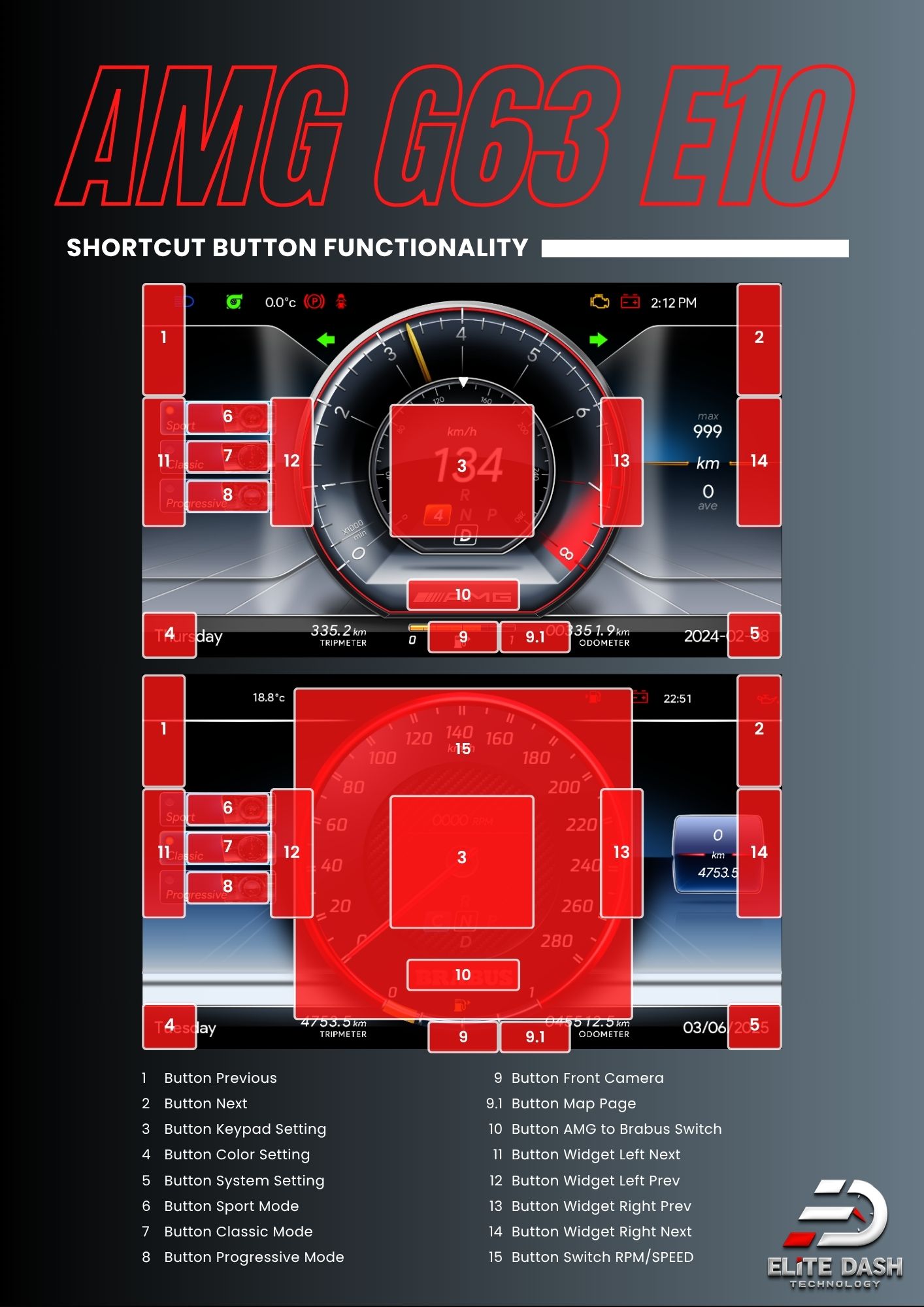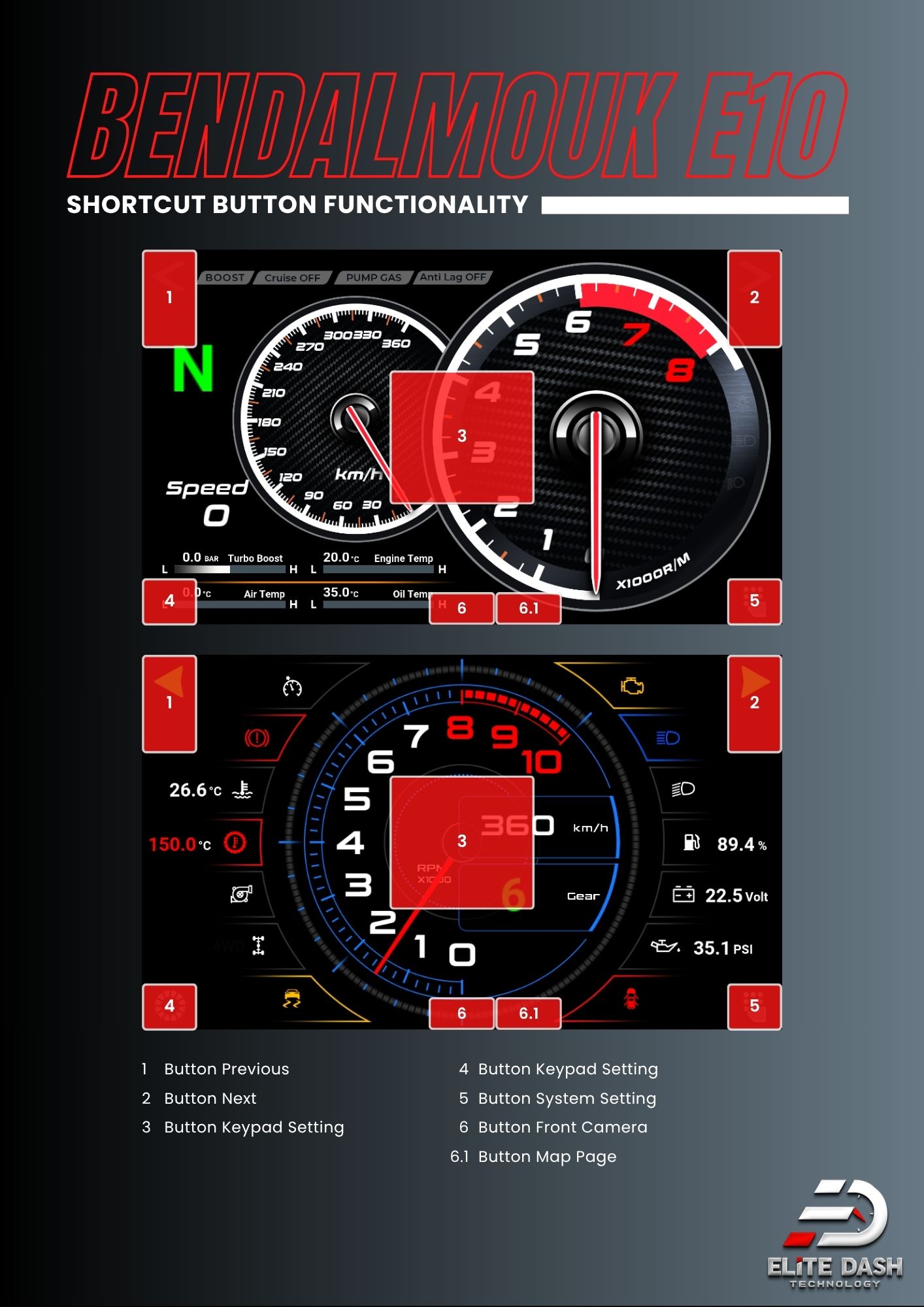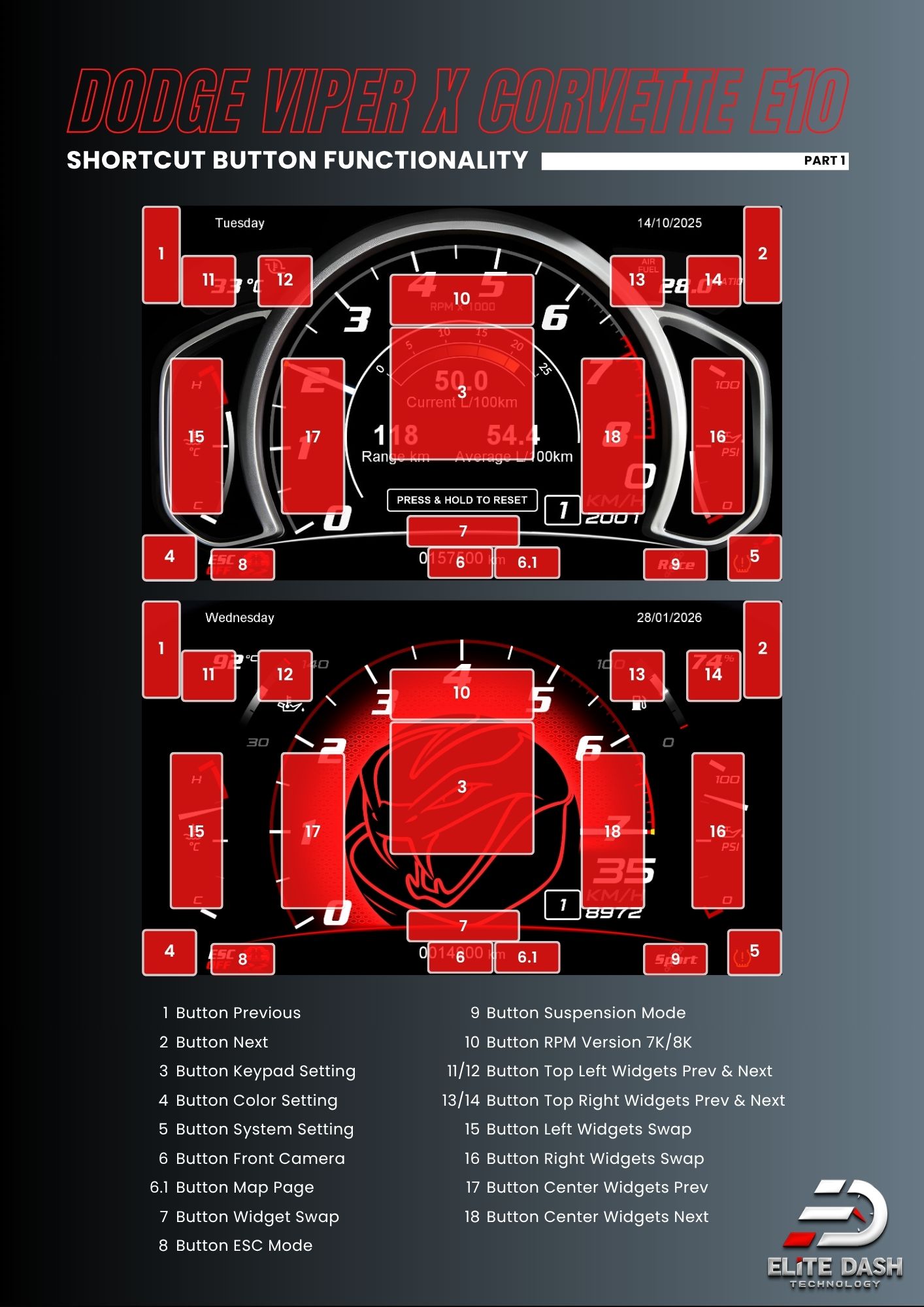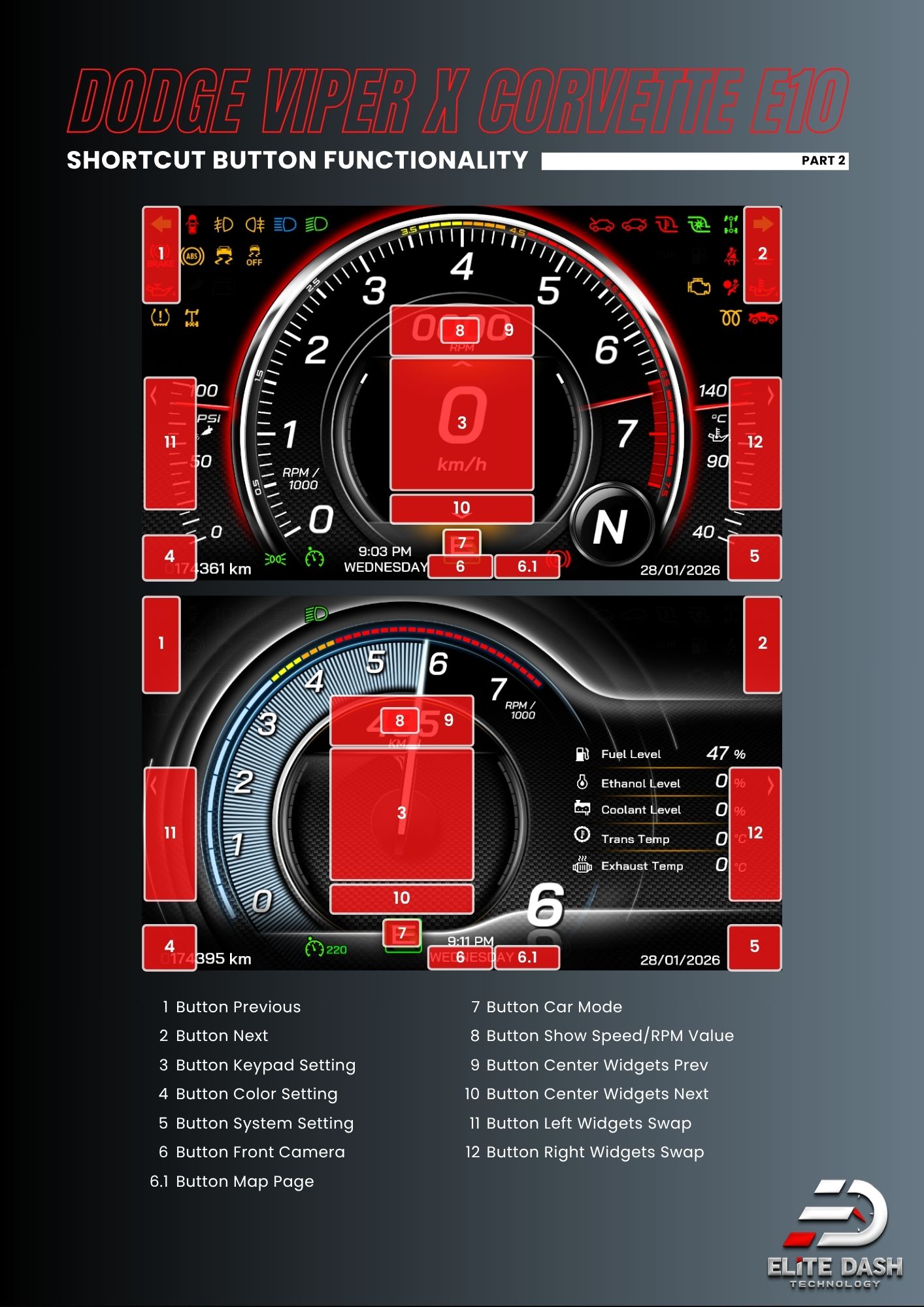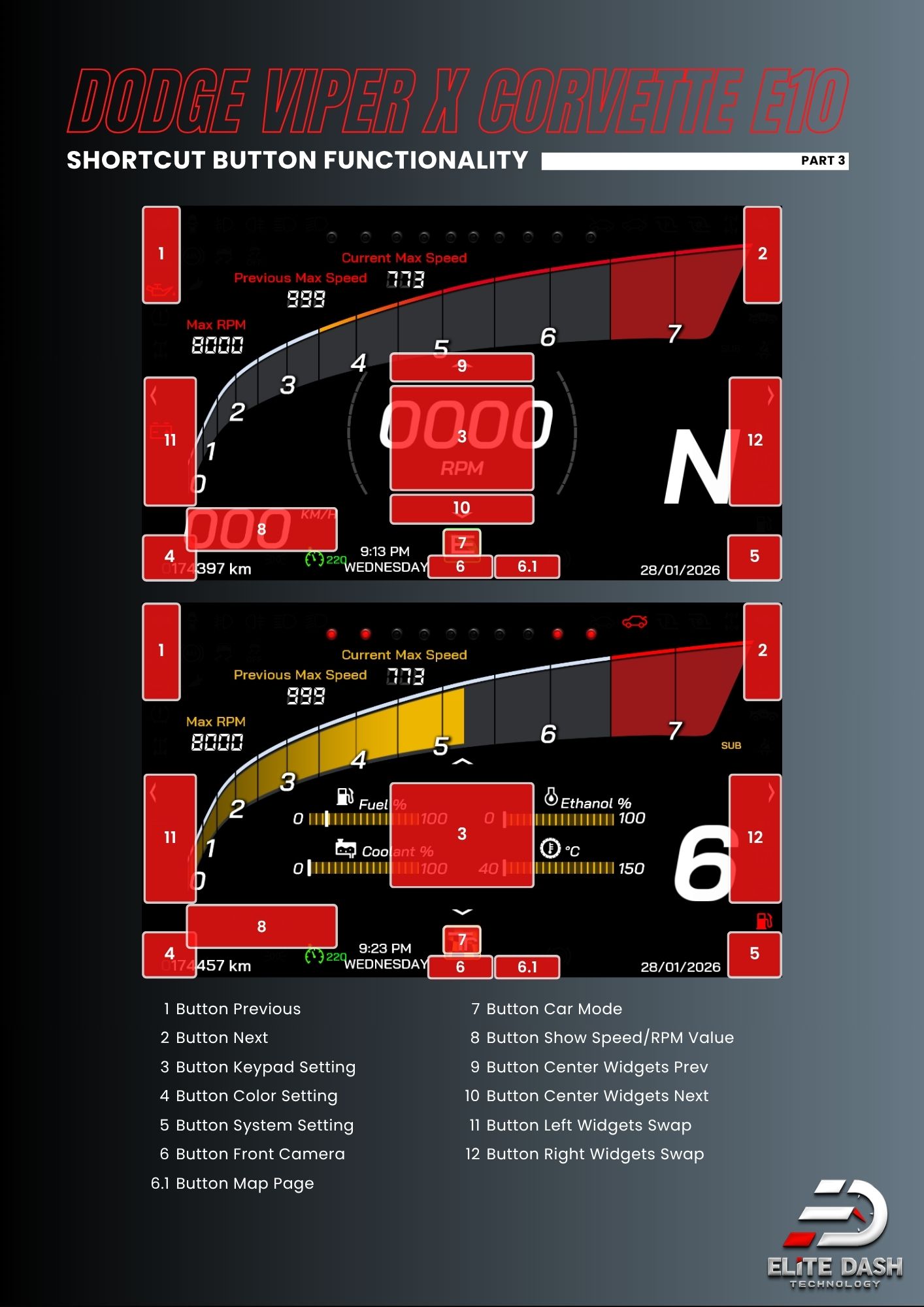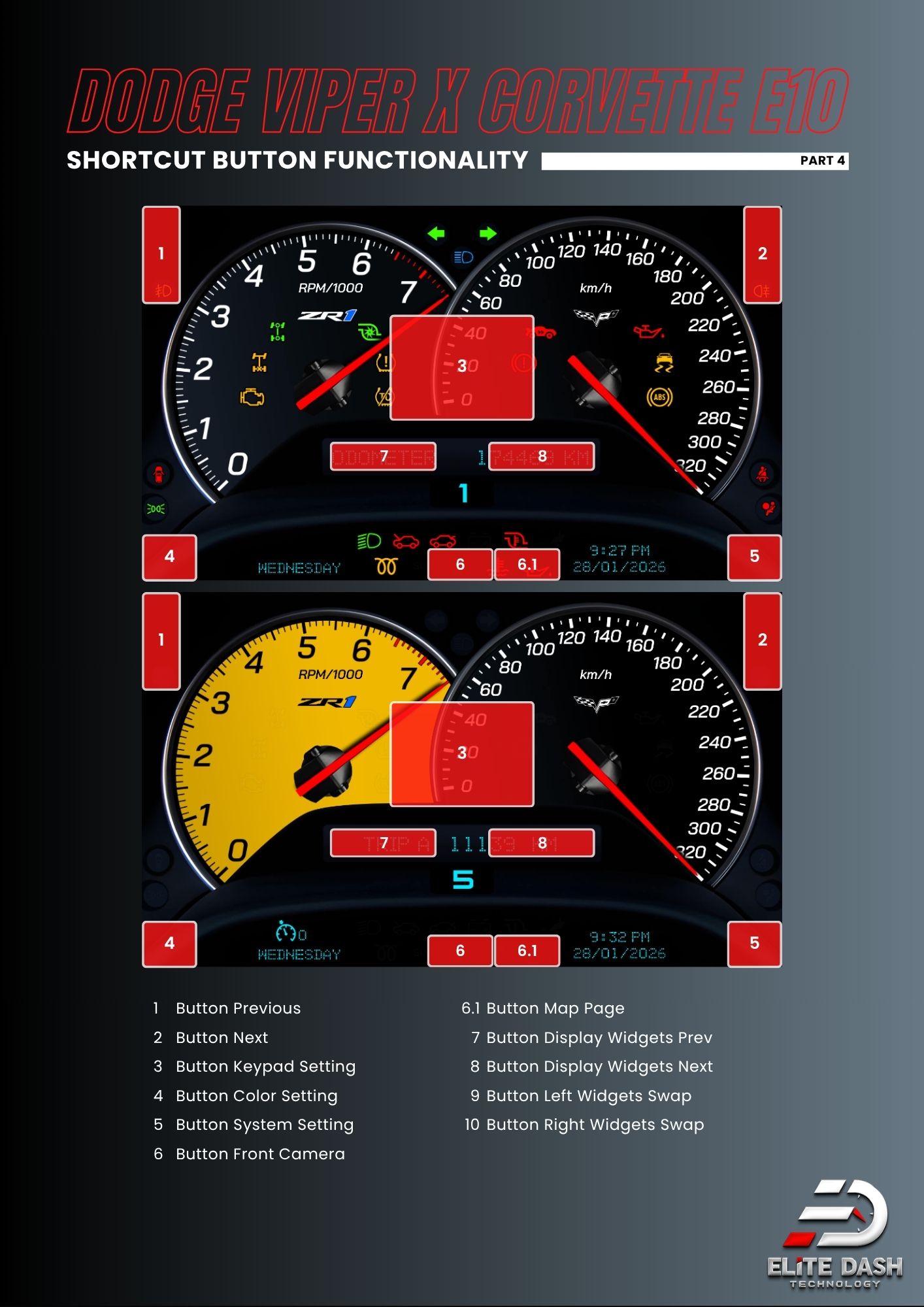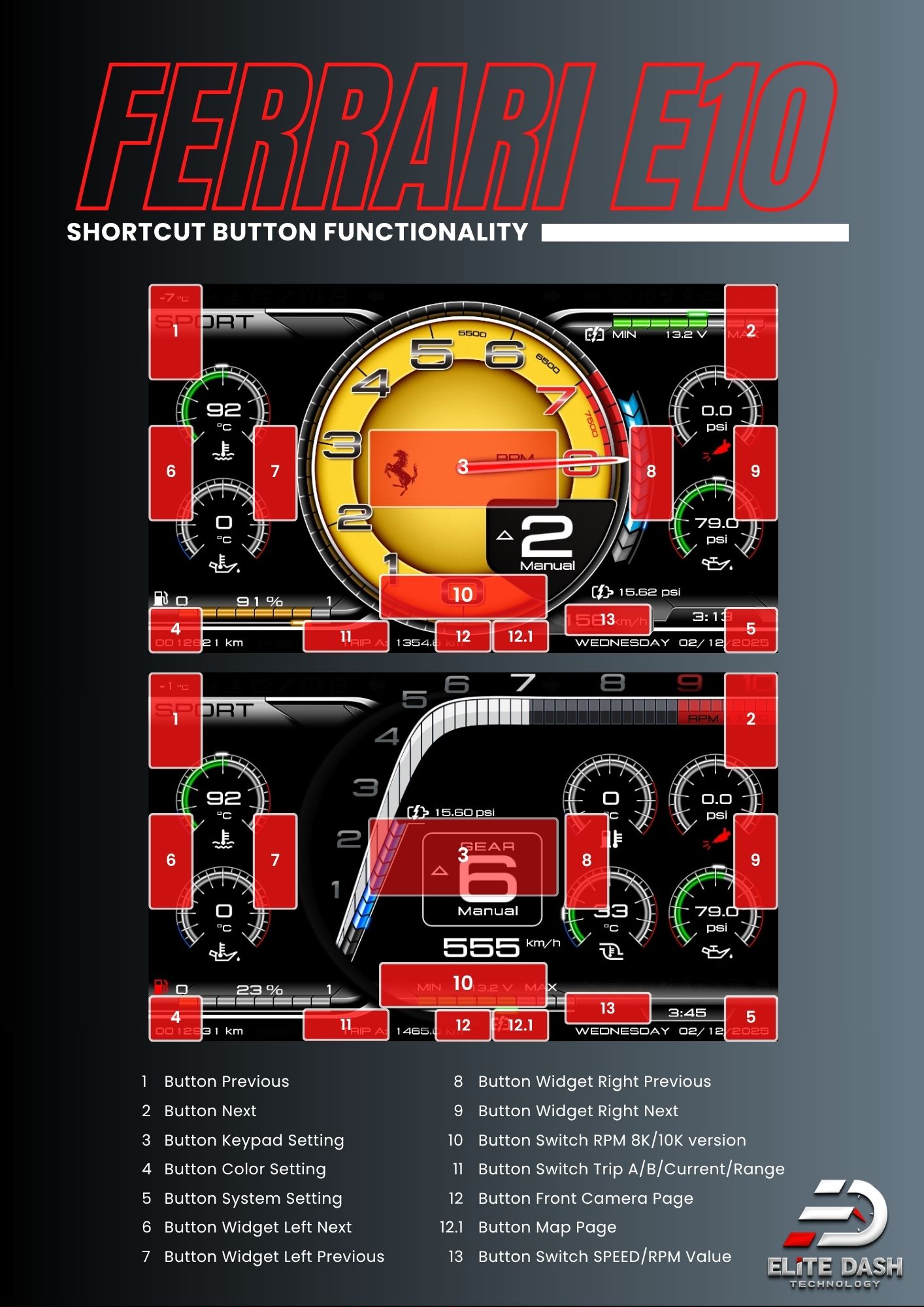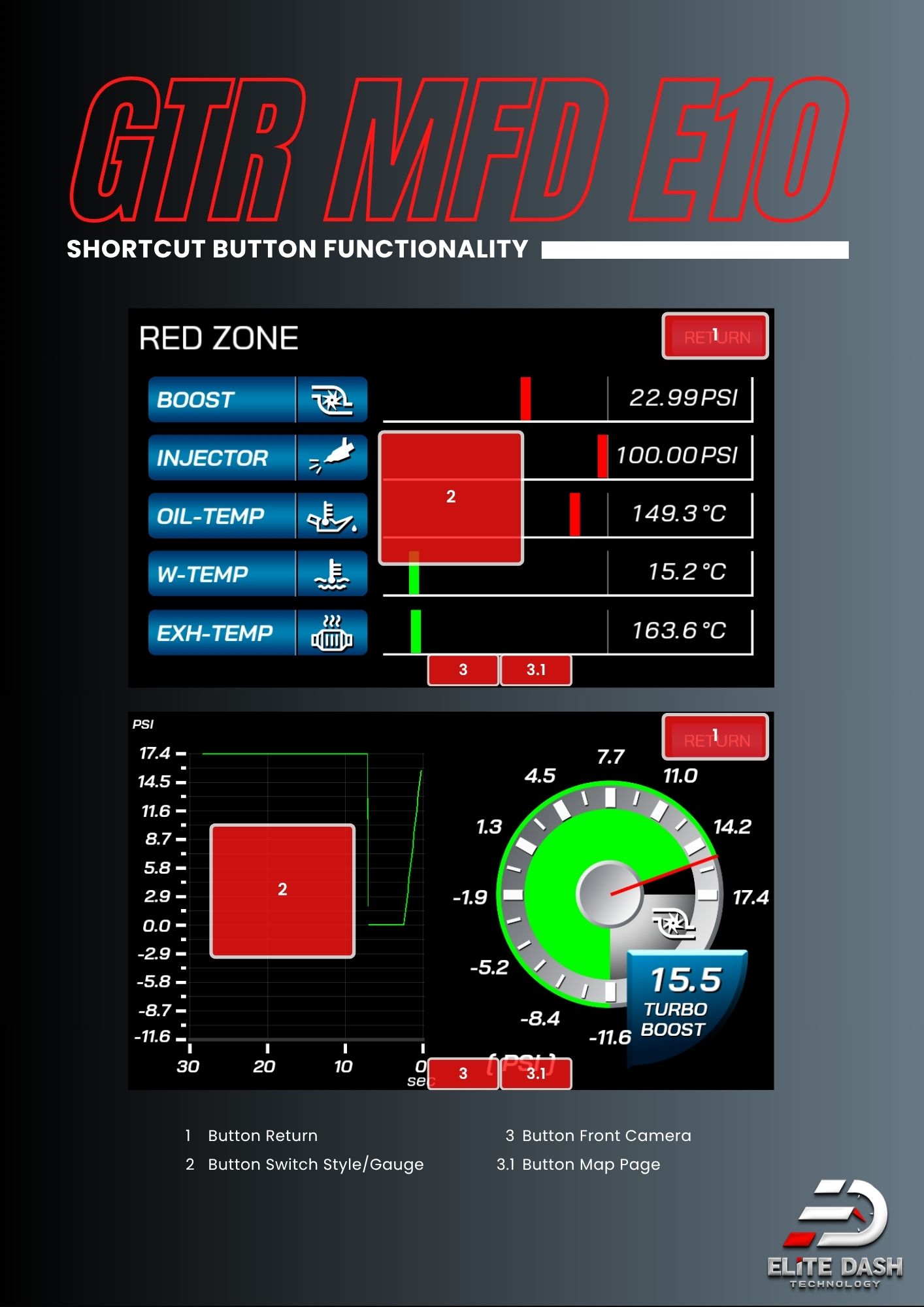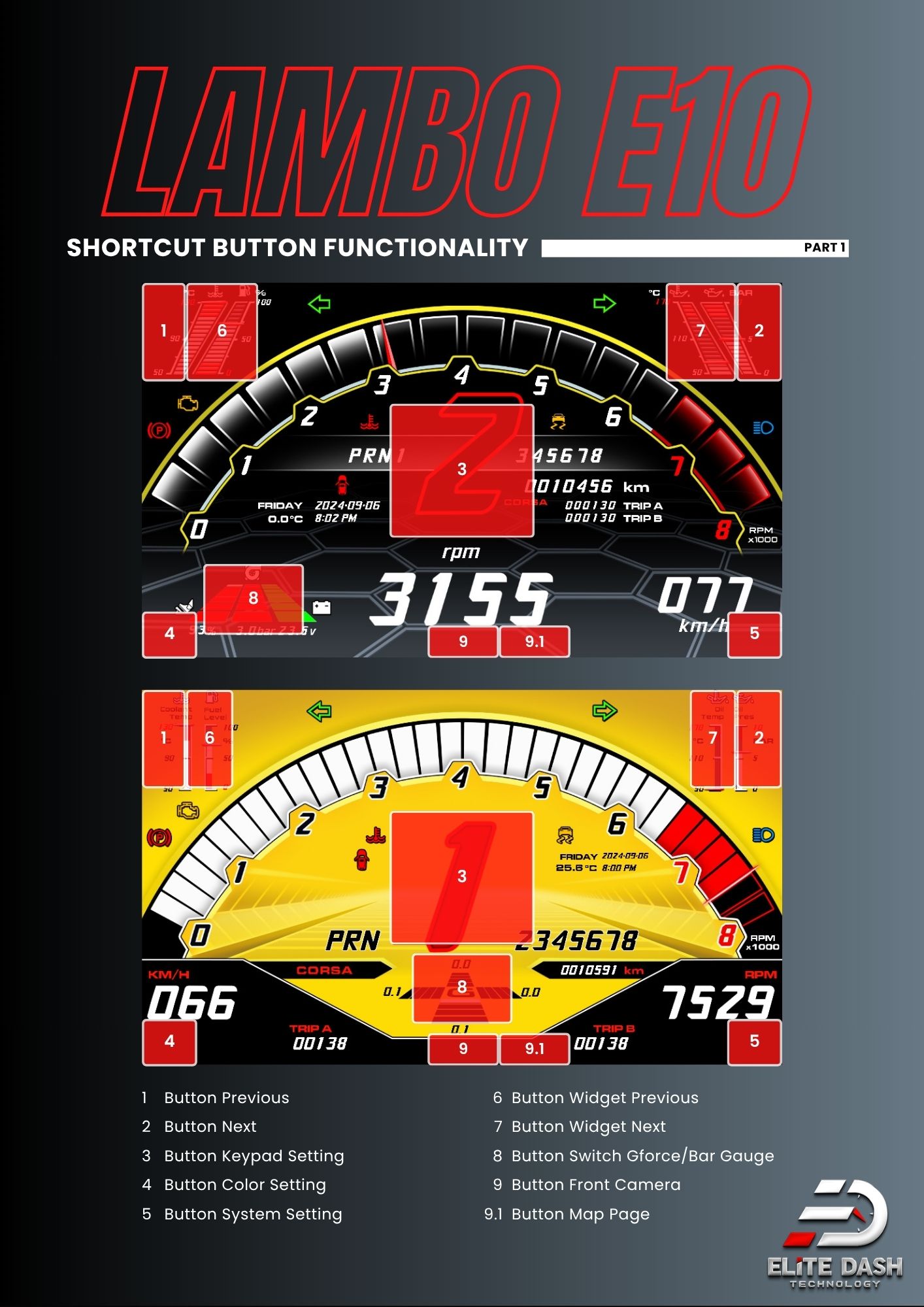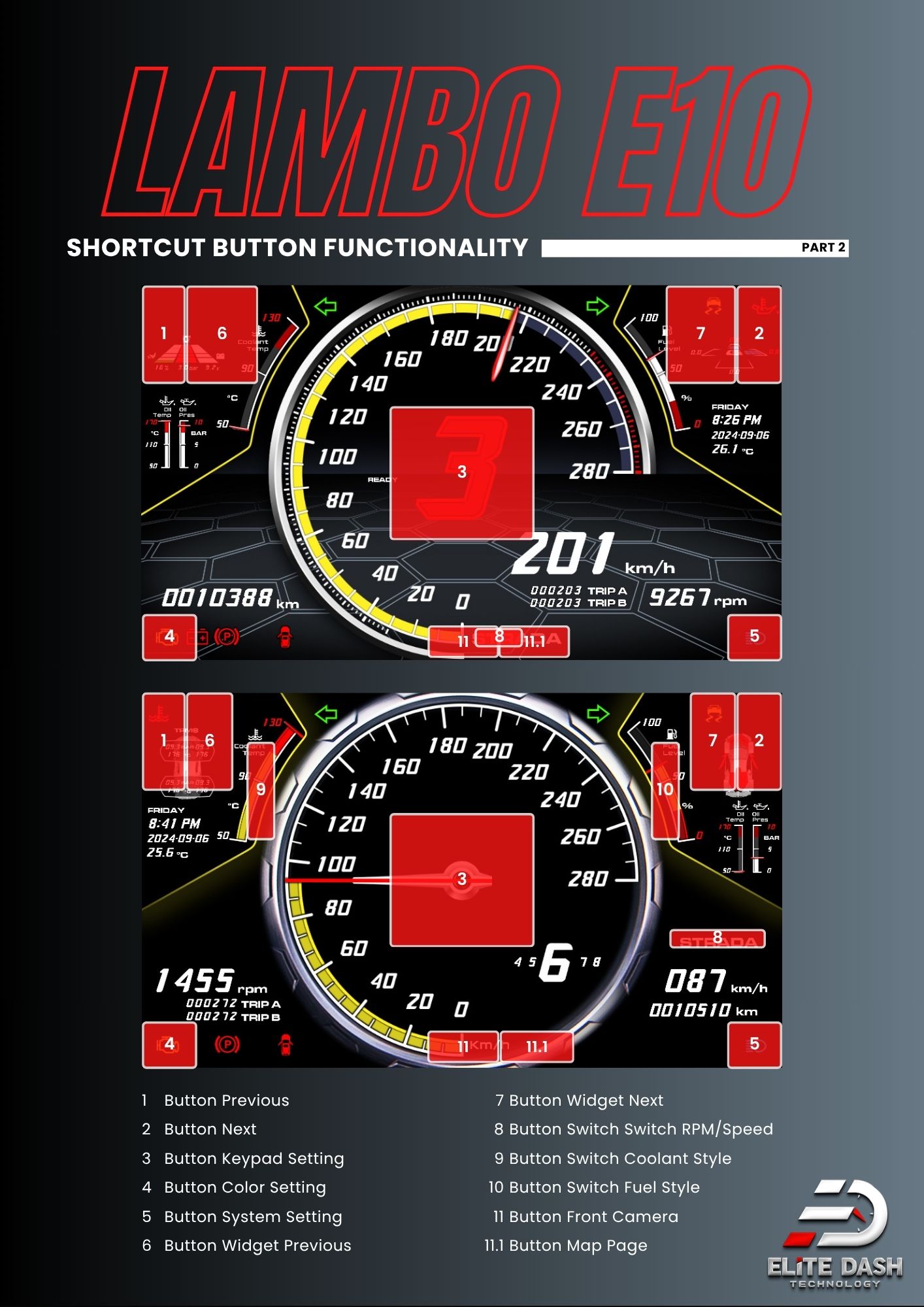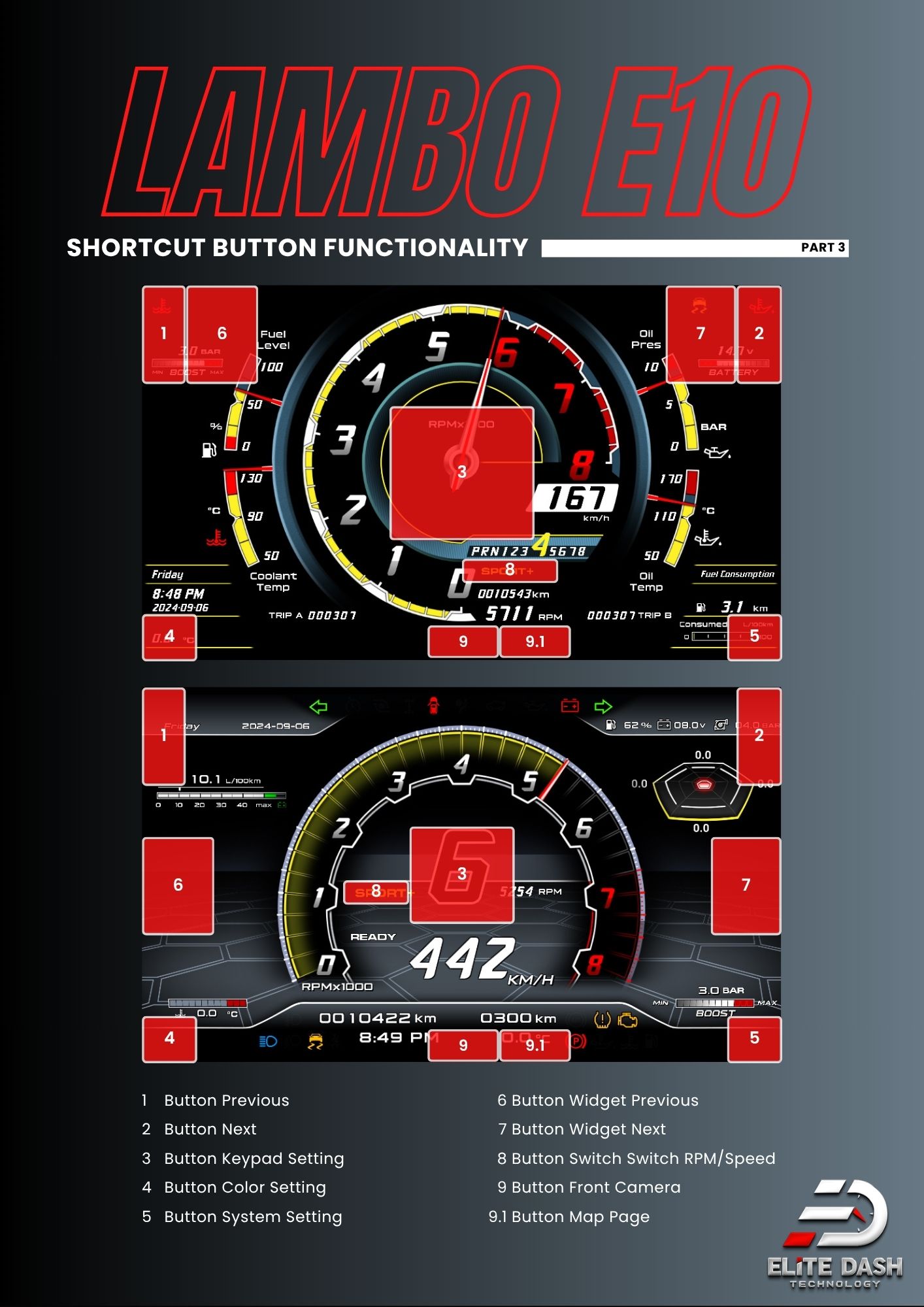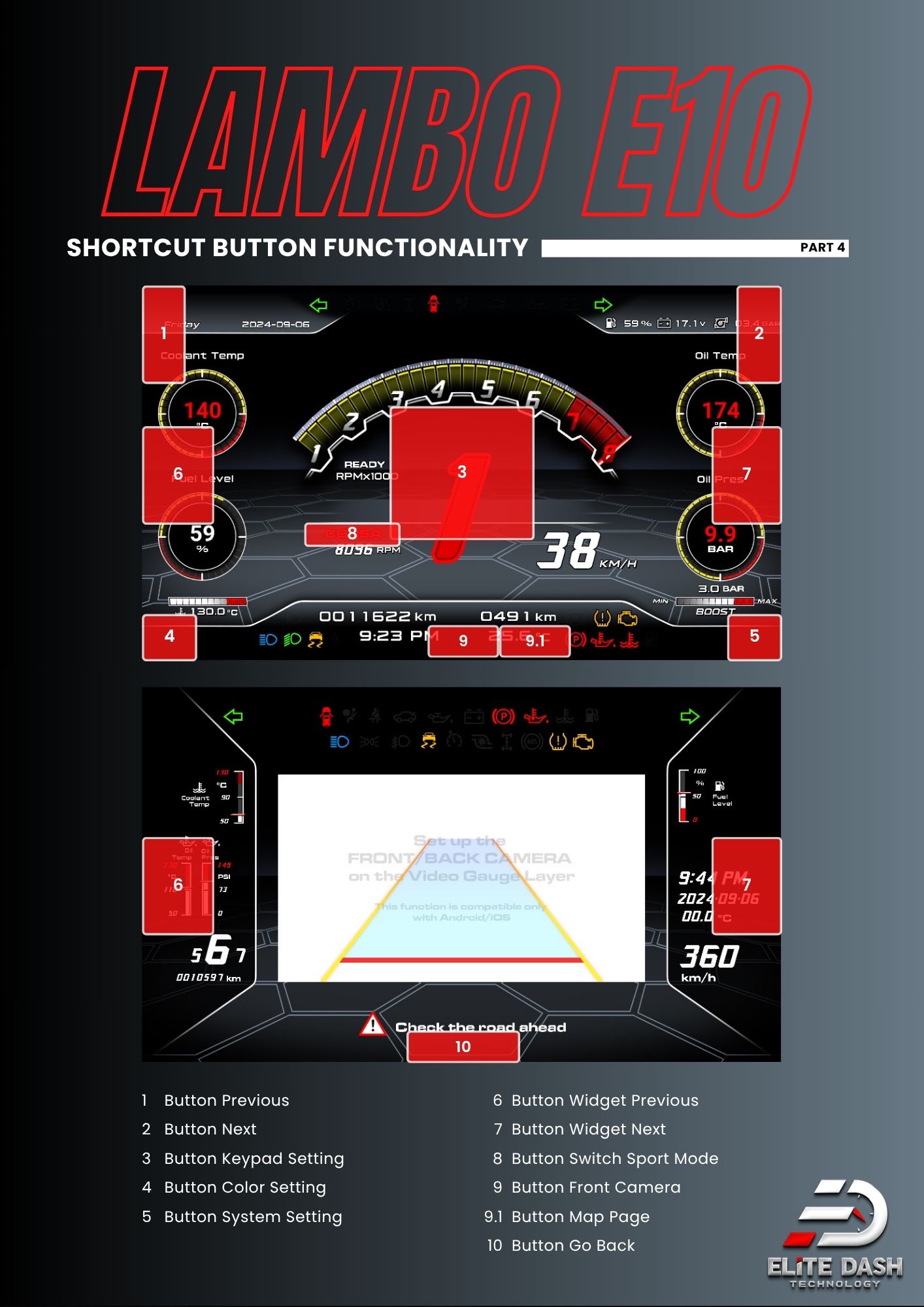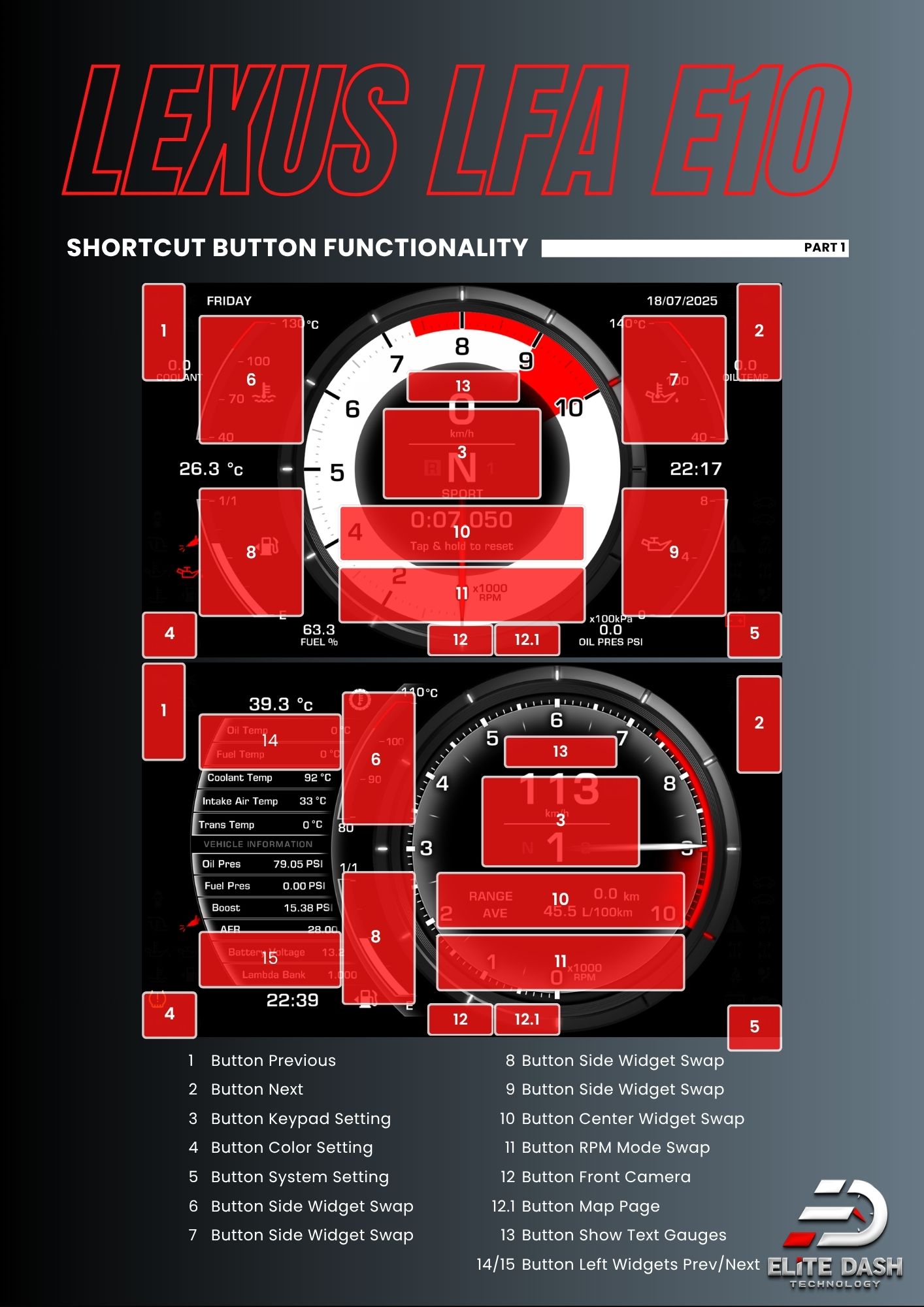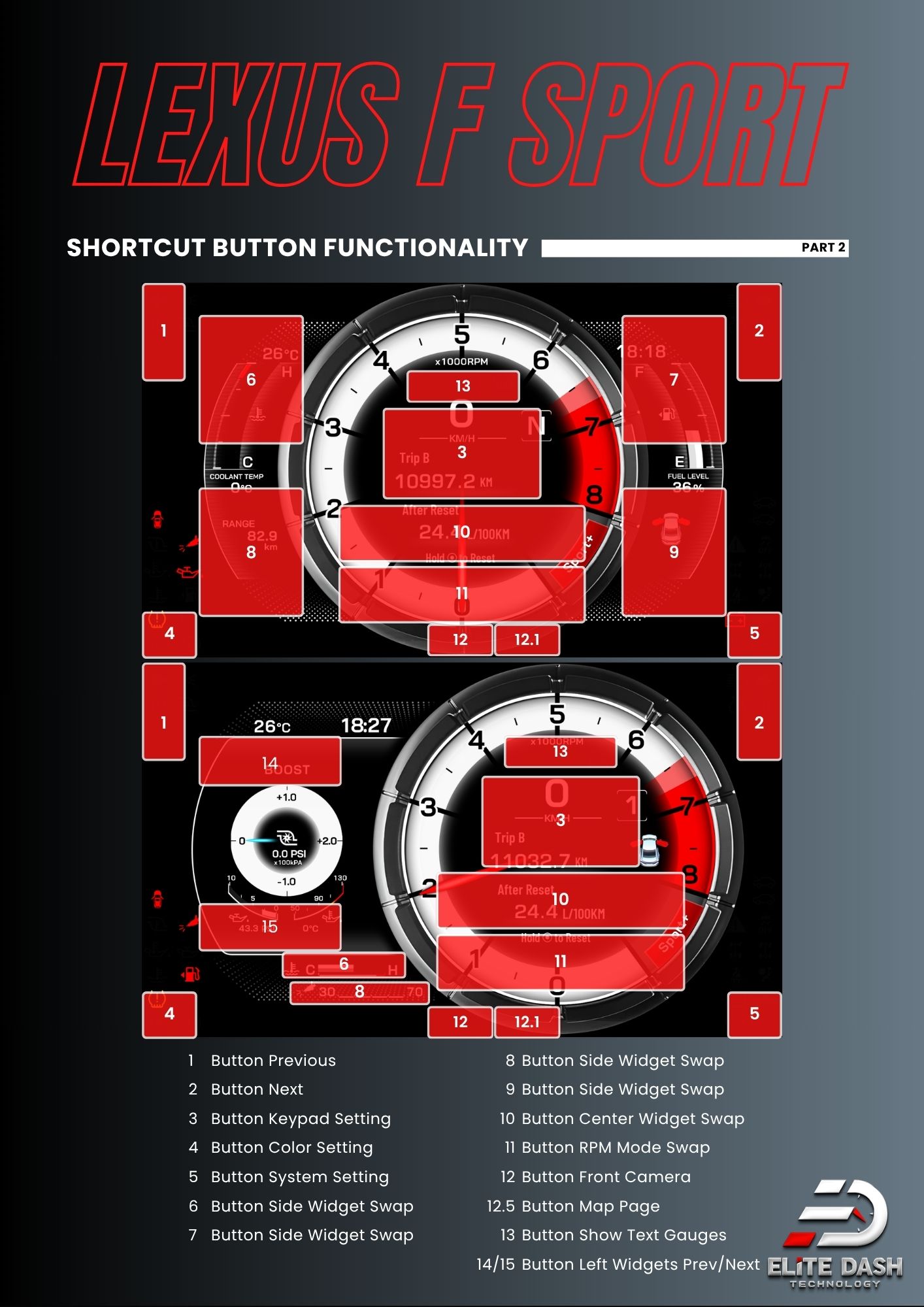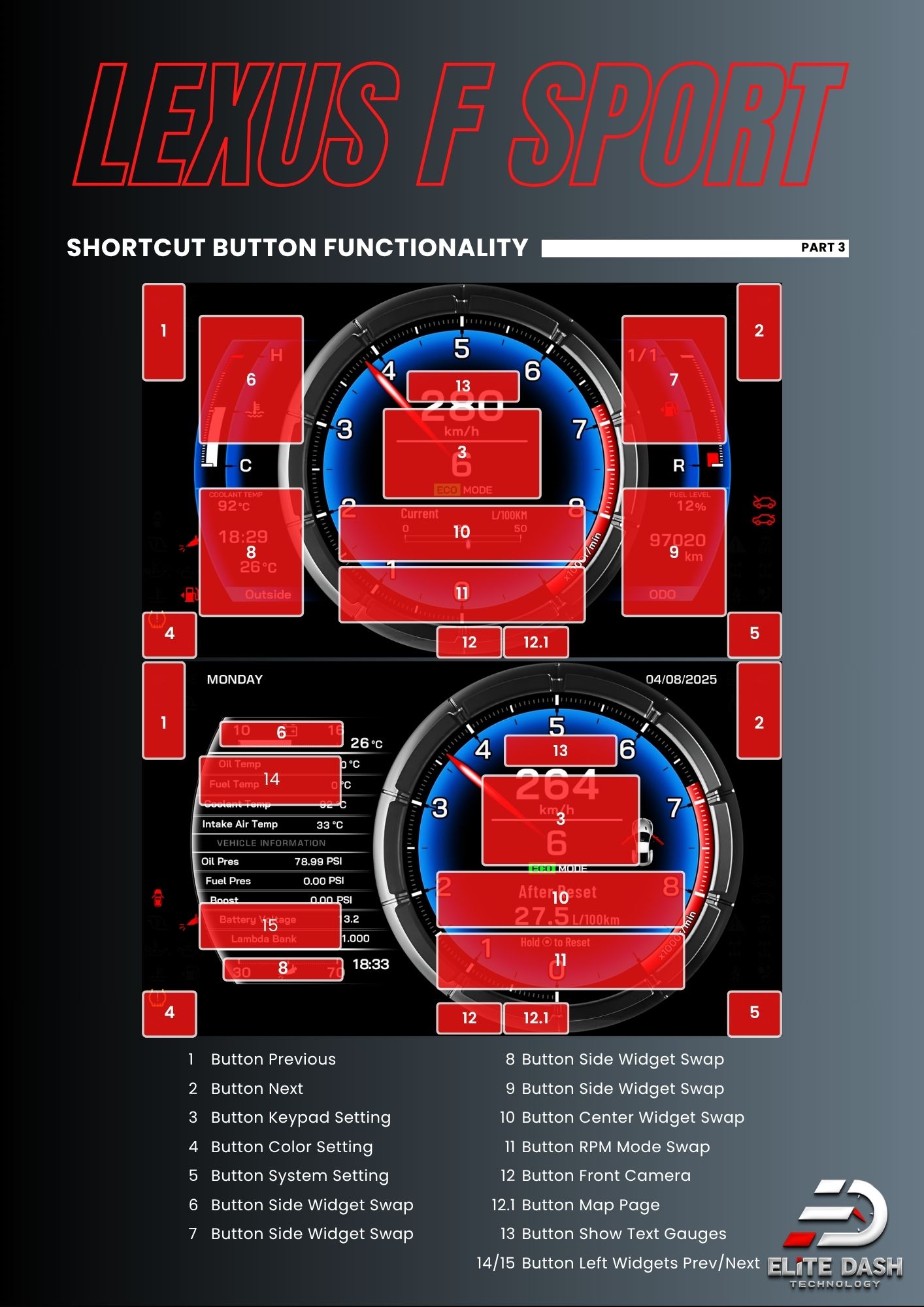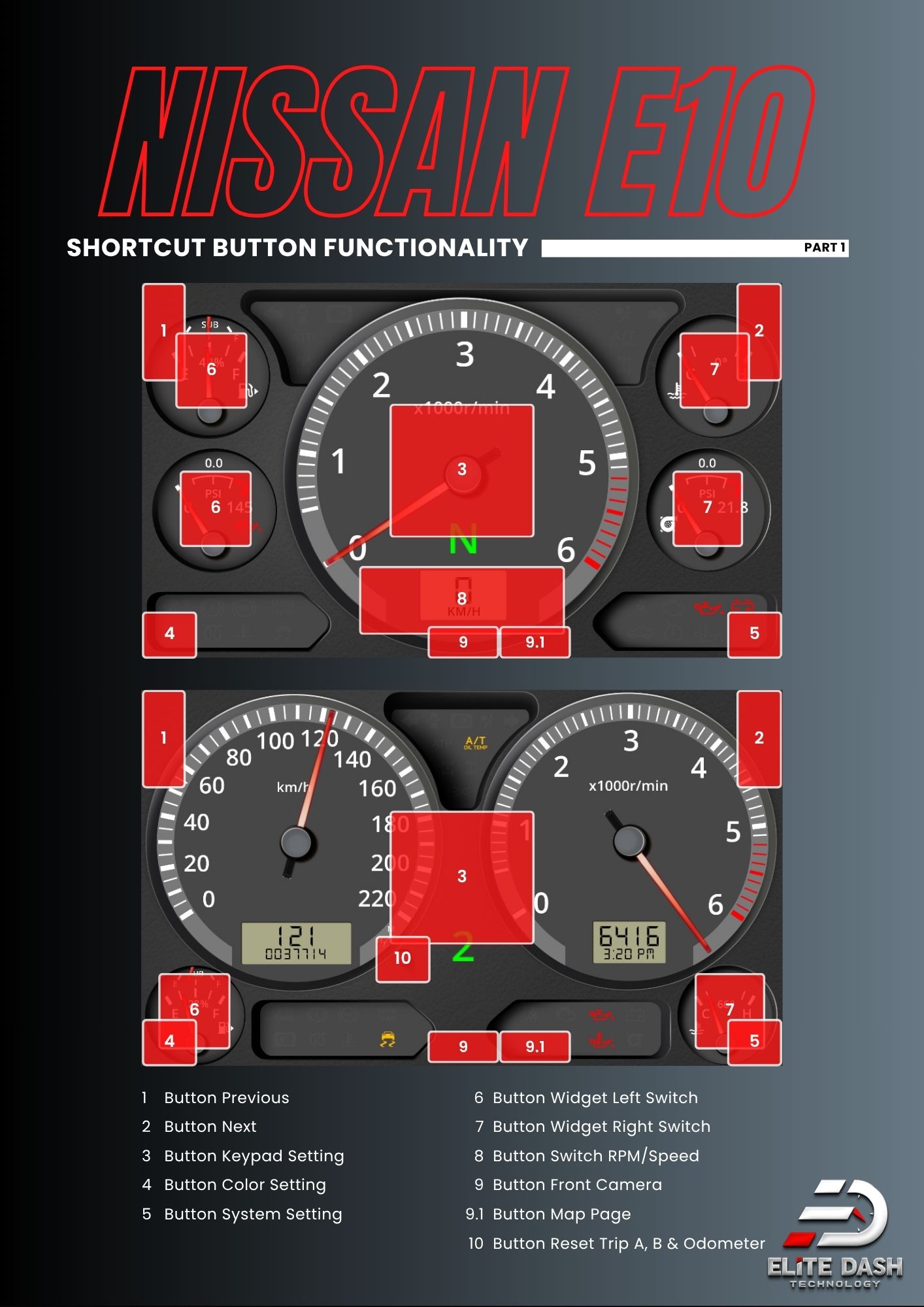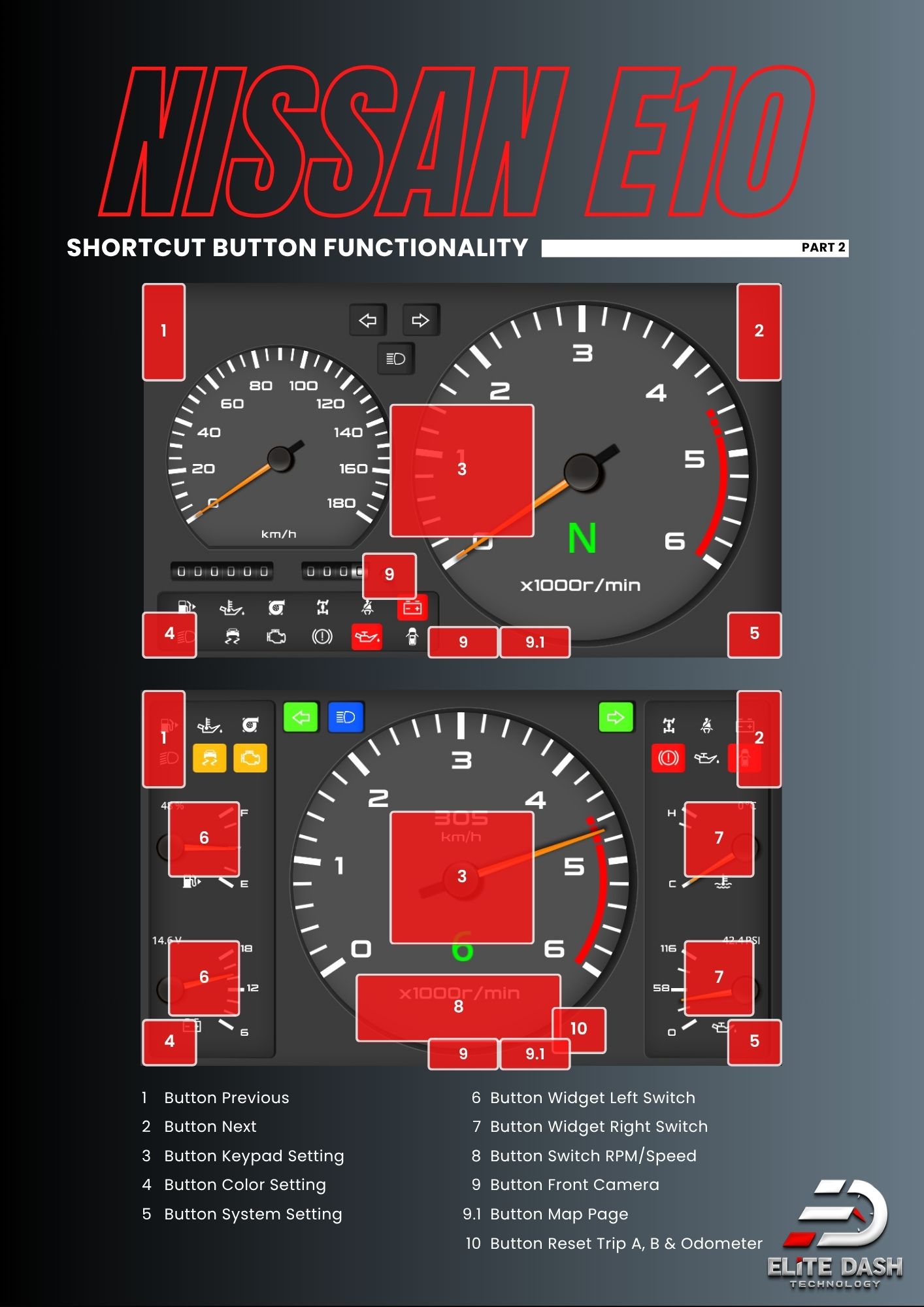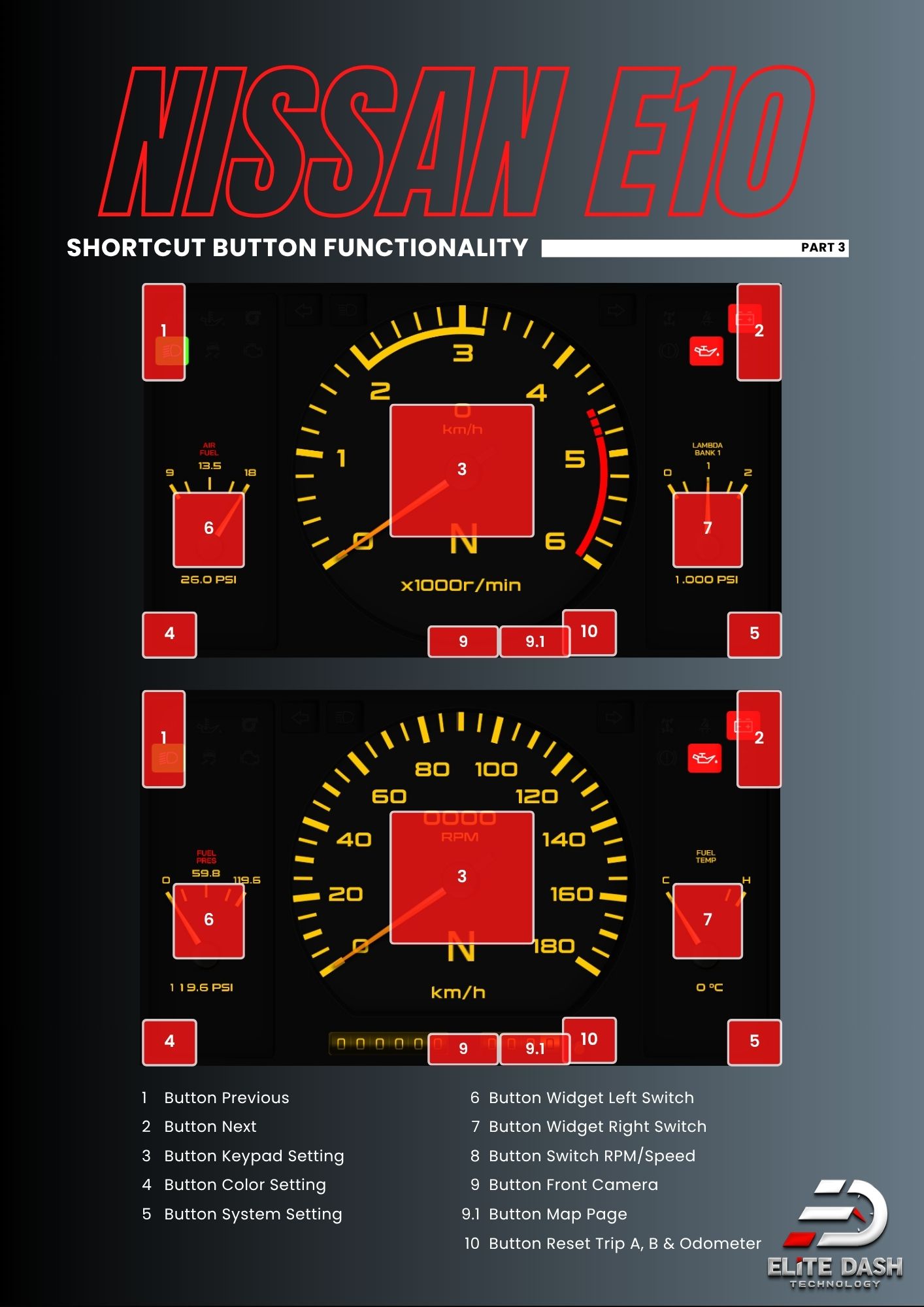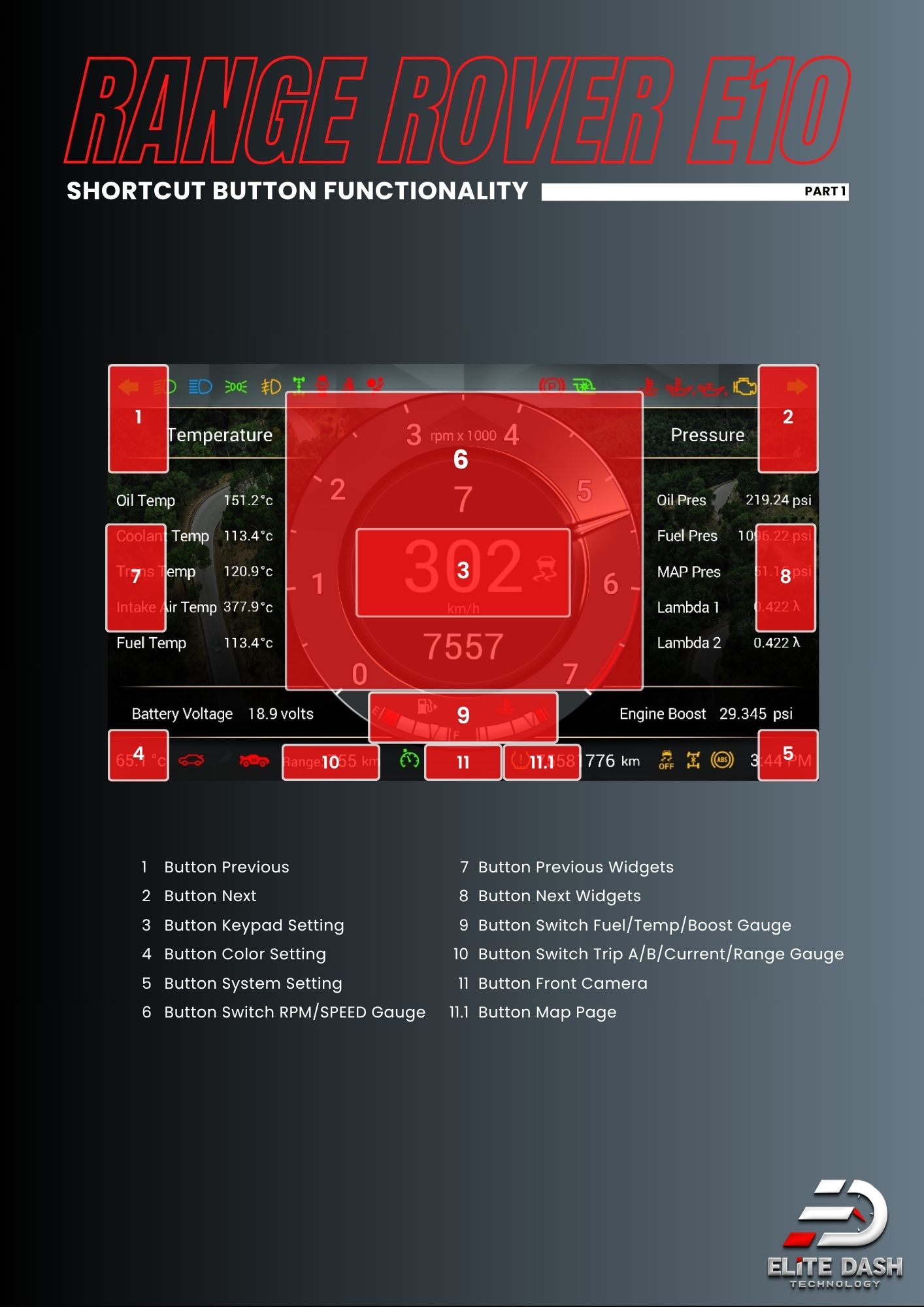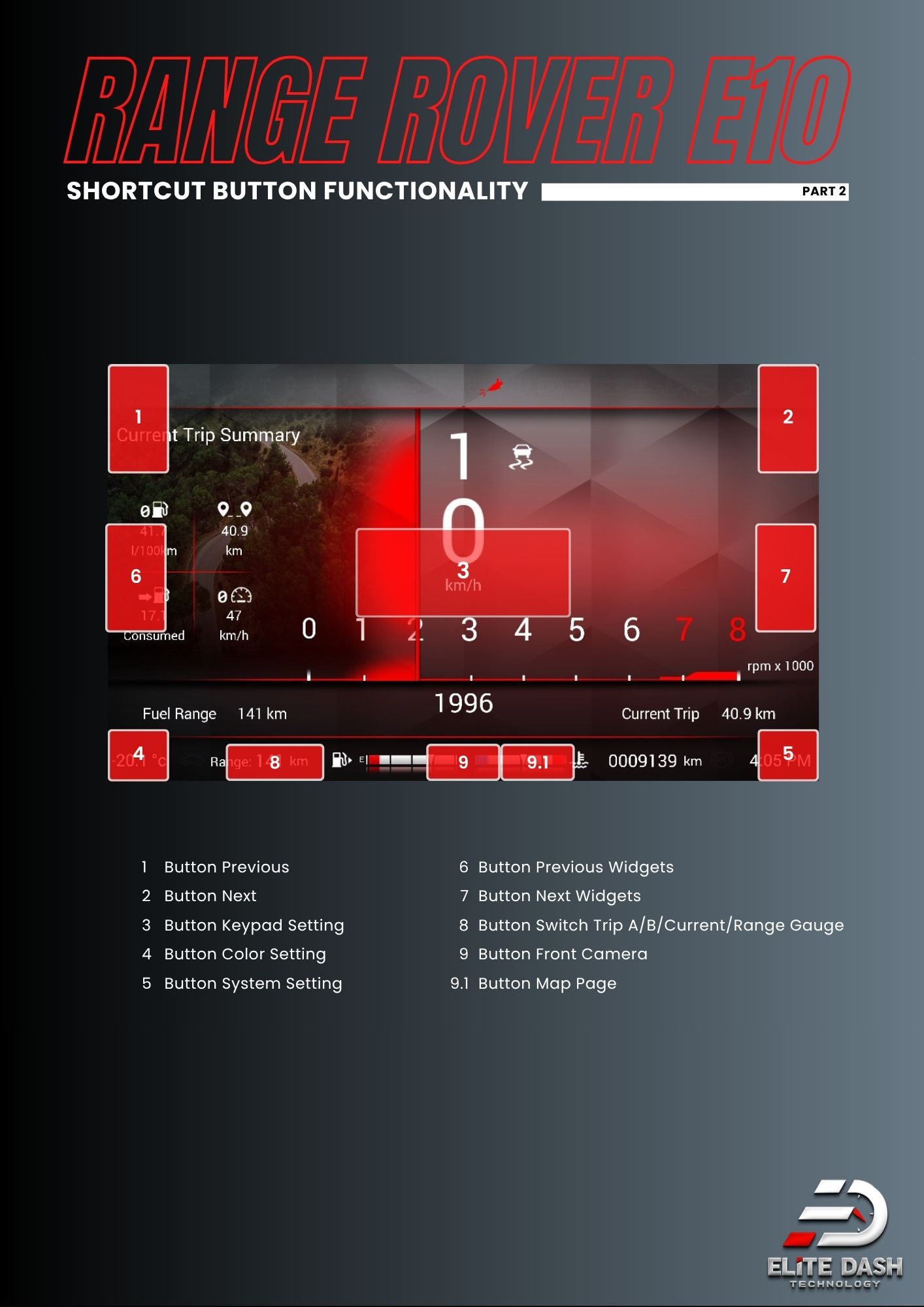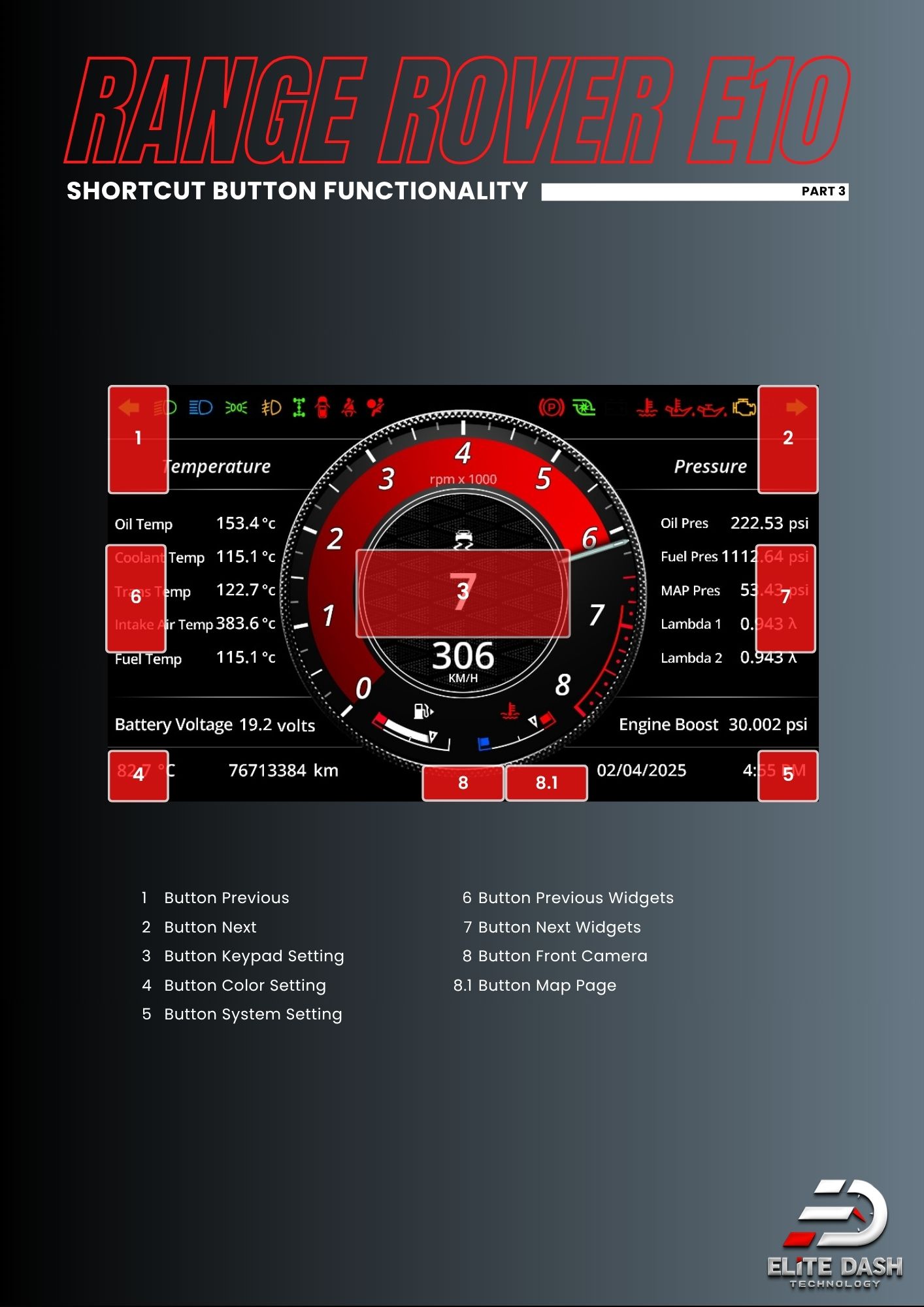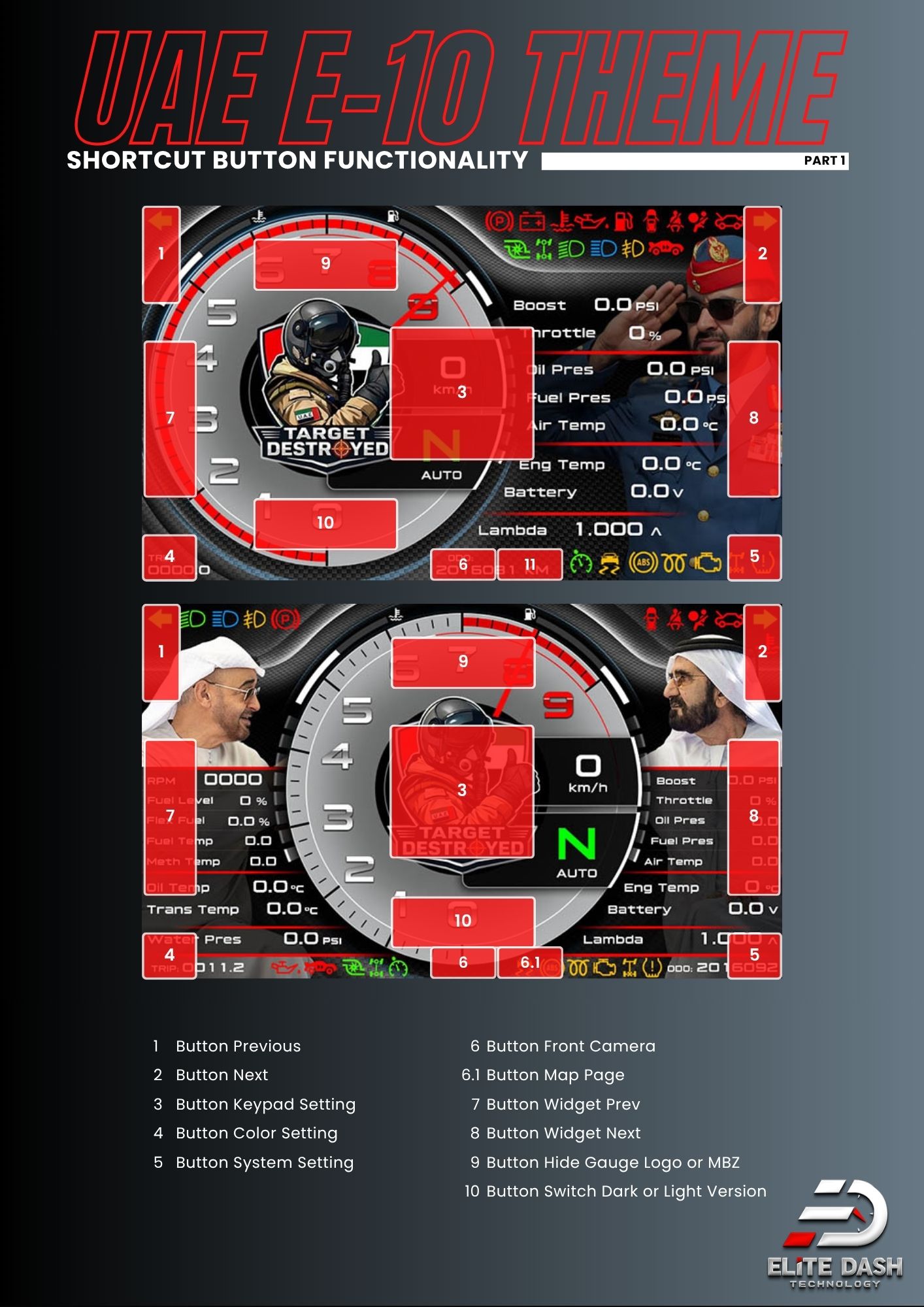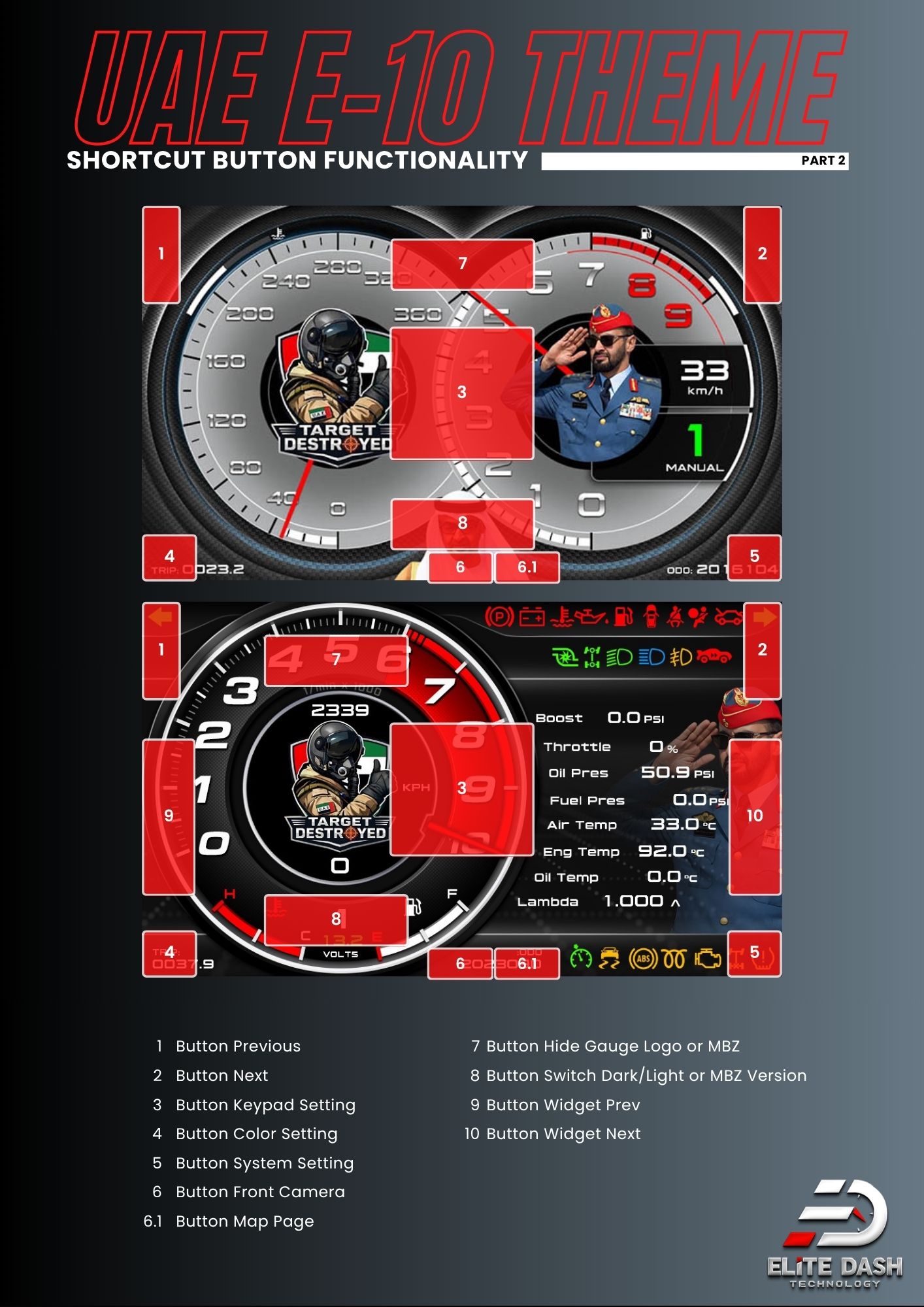



Each E-10 theme has its own shortcut button layout. Buttons 1 to 5 are consistent across every theme (Previous, Next, Keypad Setting, Color Setting, System Setting). Everything above button 5 is theme specific.
Learn buttons 1 to 5 and you can drive any theme. The theme specific buttons are where the character of each layout lives, and they are worth reading before a track day rather than during one.
| Theme | Theme specific buttons | Preview |
| Audi R8 | Widget Left Next/Prev, Widget Right Next/Prev, Swap RPM Timing Version, Widget Left and Right Next/Prev, Text Widget Prev/Next, Swap RPM or Speed Gauge, Widget Center Next/Prev | Shortcut 1 Shortcut 2 Shortcut 3 |
| AMG G63 | Sport Mode, Classic Mode, Progressive Mode, AMG to Brabus Switch, Widget Left Next/Prev, Widget Right Next/Prev, Switch RPM/Speed | Shortcut 1 Shortcut 2 |
| Bendalmouk | Standard set only | Shortcut 1 Shortcut 2 |
| Dodge Viper x Corvette | Widget Swap, ESC Mode, Suspension Mode, RPM Version 7K/8K, Top Left and Top Right Widgets Prev/Next, Left and Right Widgets Swap, Center Widgets Prev/Next, Car Mode, Show Speed/RPM Value | Shortcut 1 Shortcut 2 Shortcut 3 Shortcut 4 Shortcut 5 |
| Ferrari | Widget Left Next/Prev, Widget Right Next/Prev, Switch RPM 8K/10K Version, Switch Trip A/B/Current/Range, Switch Speed/RPM Value | Shortcut 1 Shortcut 2 |
| GTR MFD | Return, Switch Style/Gauge, Front Camera, Map Page | Shortcut 1 Shortcut 2 |
| Lambo | Widget Previous/Next, Switch G-Force/Bar Gauge, Switch RPM/Speed, Switch Coolant Style, Switch Fuel Style, Sport Mode, Go Back | Shortcut 1 Shortcut 2 Shortcut 3 Shortcut 4 Shortcut 5 |
| Lexus LFA | Side Widget Swap (four positions), Center Widget Swap, RPM Mode Swap, Show Text Gauges, Left Widgets Prev/Next | Shortcut 1 Shortcut 2 Shortcut 3 Shortcut 4 |
| Nissan | Widget Left Switch, Widget Right Switch, Switch RPM/Speed, Reset Trip A, B and Odometer | Shortcut 1 Shortcut 2 Shortcut 3 Shortcut 4 |
| Range Rover | Switch RPM/Speed Gauge, Previous/Next Widgets, Switch Fuel/Temp/Boost Gauge, Switch Trip A/B/Current/Range | Shortcut 1 Shortcut 2 Shortcut 3 Shortcut 4 |
| UAE | Widget Prev/Next, Hide Gauge Logo or MBZ, Switch Dark or Light Version | Shortcut 1 Shortcut 2 Shortcut 3 |
Related: E-10 Shortcut Buttons: Default Layout · How to Download a Purchased Theme · How to Change Dashboard Pages