




The ED Remote is a wireless control for Elite Dash display systems. It lets the driver switch between display themes without touching the main screen.
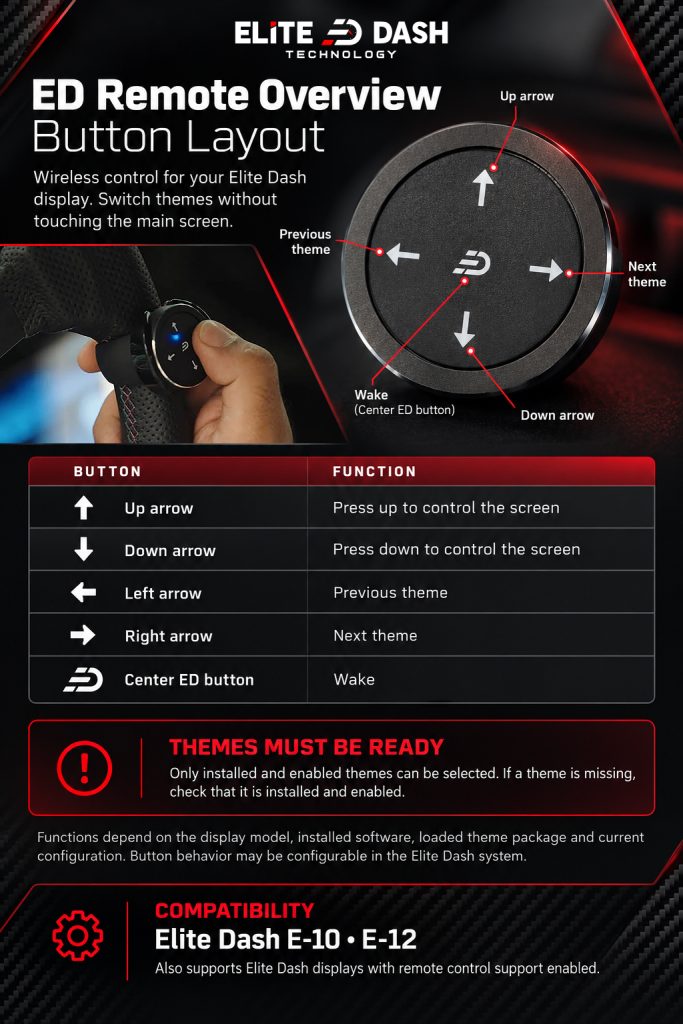
| Button | Function |
| Up arrow | Press up to control the screen |
| Down arrow | Press down to control the screen |
| Left arrow | Previous theme |
| Right arrow | Next theme |
| Center ED button | Wake |
Only installed and enabled themes can be selected from the remote. If a theme does not appear when you cycle through, it is not installed on the screen.
Available functions depend on the connected display model, the installed software, the loaded theme package and the current configuration. Button behavior may be configurable in the Elite Dash system.
Compatible with the Elite Dash E-10, E-12, and Elite Dash displays with remote control support enabled.
Related: How to Mount the ED Remote Safely · How to Download a Purchased Theme · How to Change Dashboard Pages

