




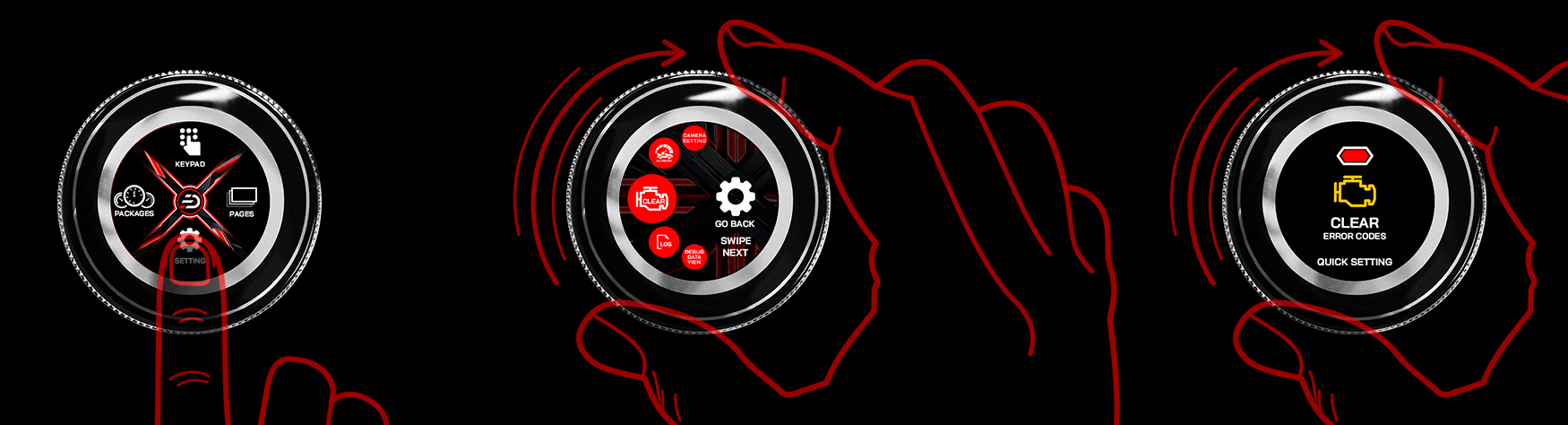
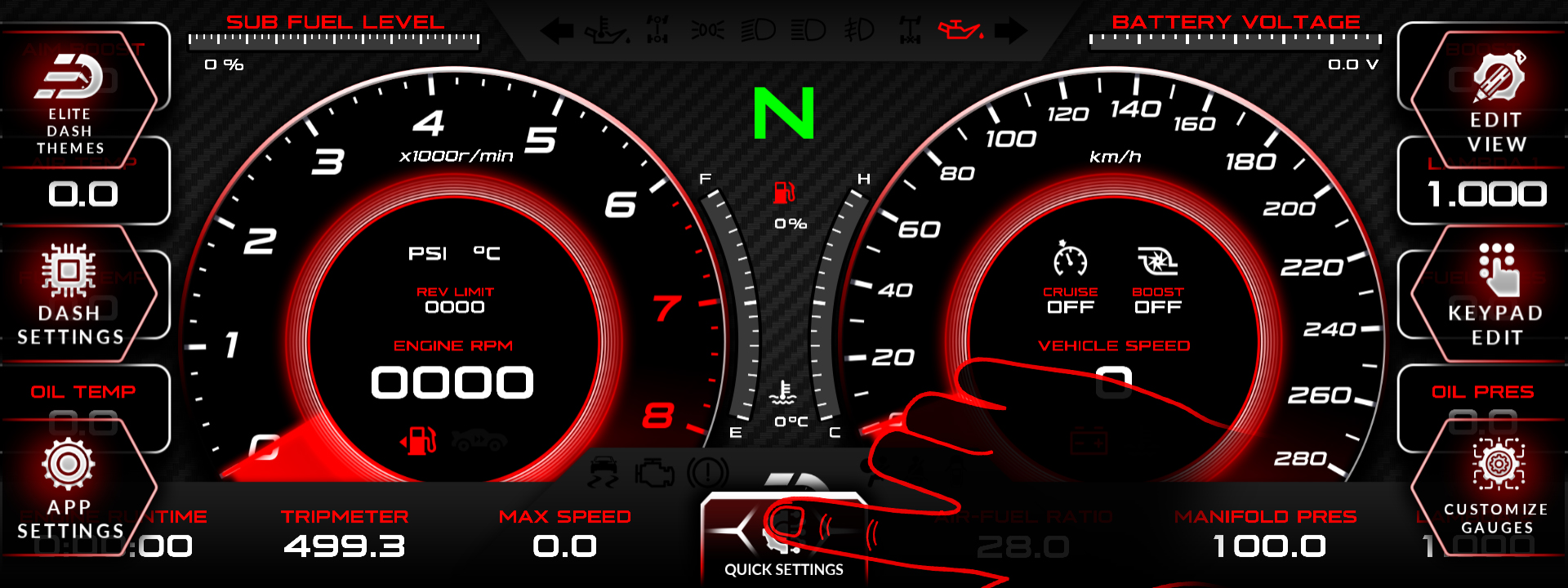
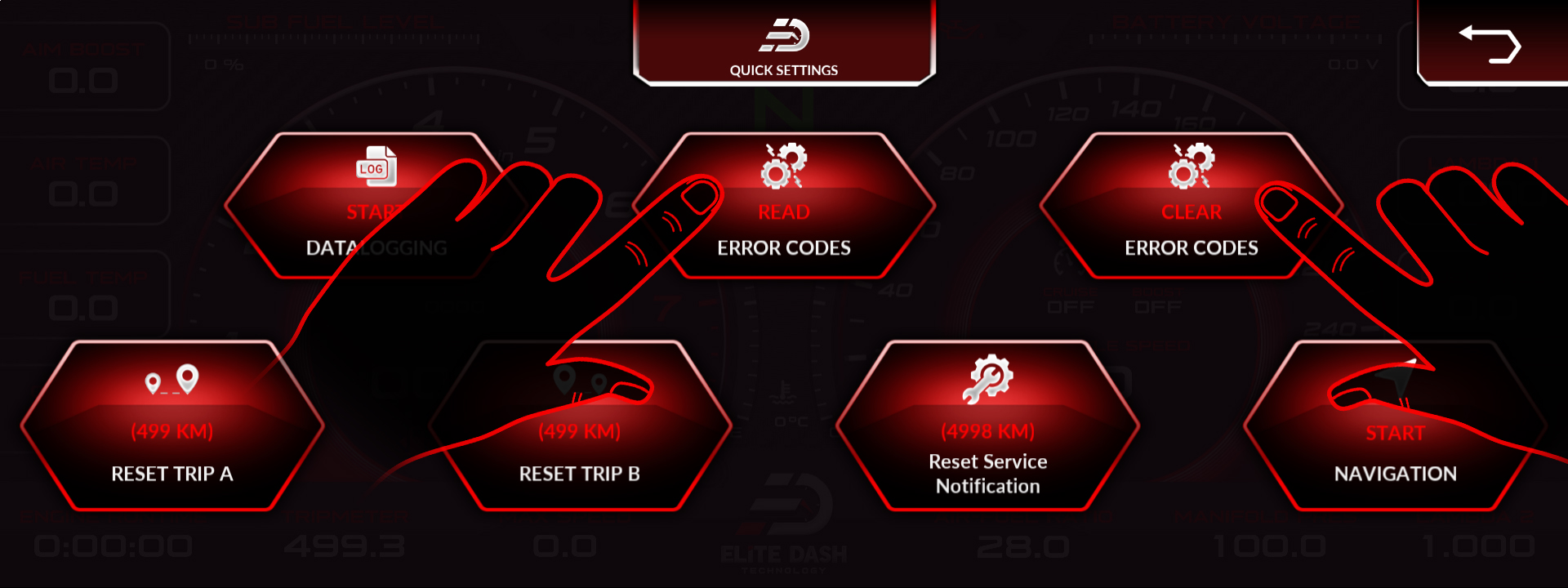
Tap the button at the bottom center of the screen to open Quick Settings, then choose read or clear error codes. From an ED Keypad, open Clear Error Codes in the Setting Menu and rotate the dial to start the clearing process.
Read the codes before you clear them and write them down. Clearing wipes the evidence, and a code that comes straight back tells you something very different from one that does not.
From the screen:
- Tap the bottom center of the screen to open Quick Settings.
- Select read or clear error codes.
From the ED Keypad:
- Open Setting Menu, then Clear Error Codes.
- Rotate the dial to start the clearing process.
- A confirmation notification appears on the main dashboard screen once the codes are cleared.
⚠️ Do not clear codes to make a warning light go away before a drive. A protection code such as a lean power cut is telling you the engine is at risk. Find the cause first.
Related: MaxxECU Error Code List · How to Use the Debug Data View · How to Start and Stop Datalogging

