




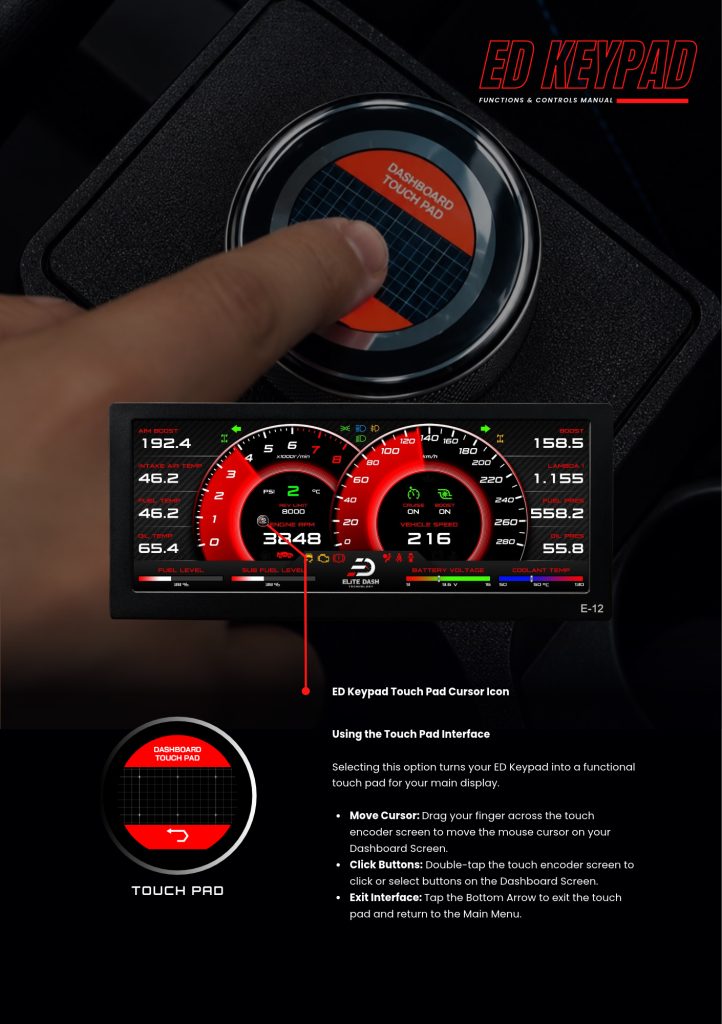
Select Touch Pad from the Main Menu. Drag your finger across the keypad screen to move the cursor on the dashboard, and double tap to click.
This is how you reach any part of the EliteDash interface without leaning across the cabin to the main screen. On a wide E-12 install in a large vehicle, it is the difference between adjusting something while driving and pulling over.
| Action | Result |
| Drag your finger | Moves the cursor on the dashboard screen |
| Double tap | Clicks or selects a button on the dashboard screen |
| Tap the bottom arrow | Exits and returns to the Main Menu |
⚠️ Do not configure the system while driving. Use the touchpad for quick changes only, and park before making setup changes.
Related: Navigating the ED Keypad Main Menu · ED Keypad Overview and Compatibility · How to Change Dashboard Pages

