




Go to my.elitedash.ae and use the password reset option, or email contact@elitedash.ae from your registered address to have the reset sent to you.
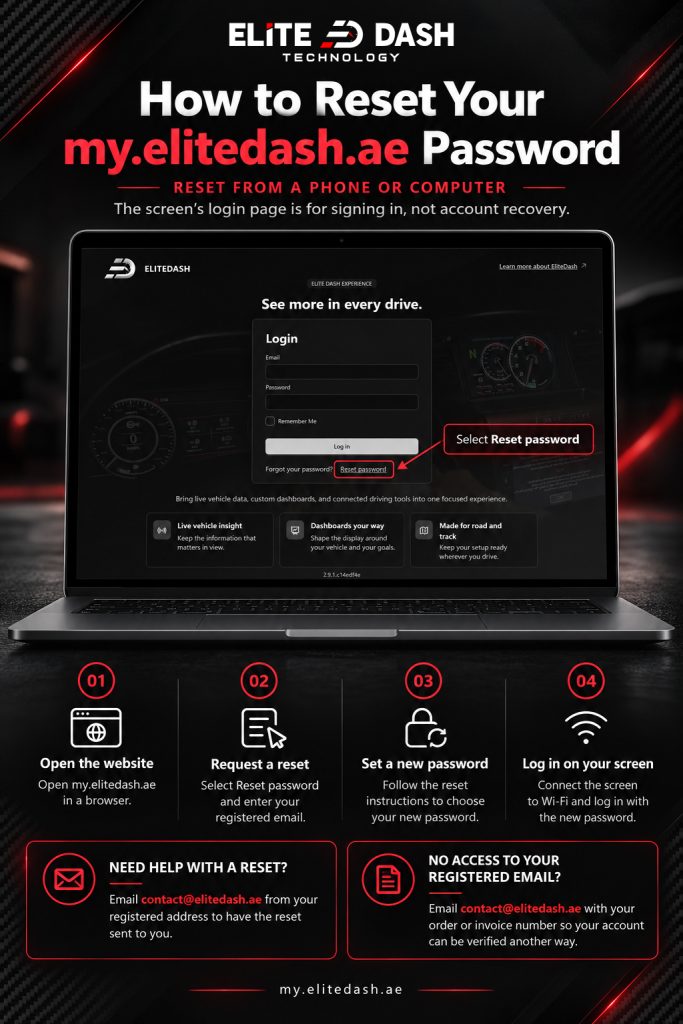
Reset from a phone or computer, not from the screen. The screen’s login page is for signing in, not for account recovery.
- Open my.elitedash.ae in a browser.
- Request a password reset for your registered email.
- Set the new password.
- On the screen, connect to Wi-Fi and log in with the new password.
If you no longer have access to the registered email address, email contact@elitedash.ae with your order or invoice number so the account can be verified another way.
Related: How to Create Your EliteDash Account · How to Log In to Your Screen for the First Time · How to Contact Elite Dash Support

