



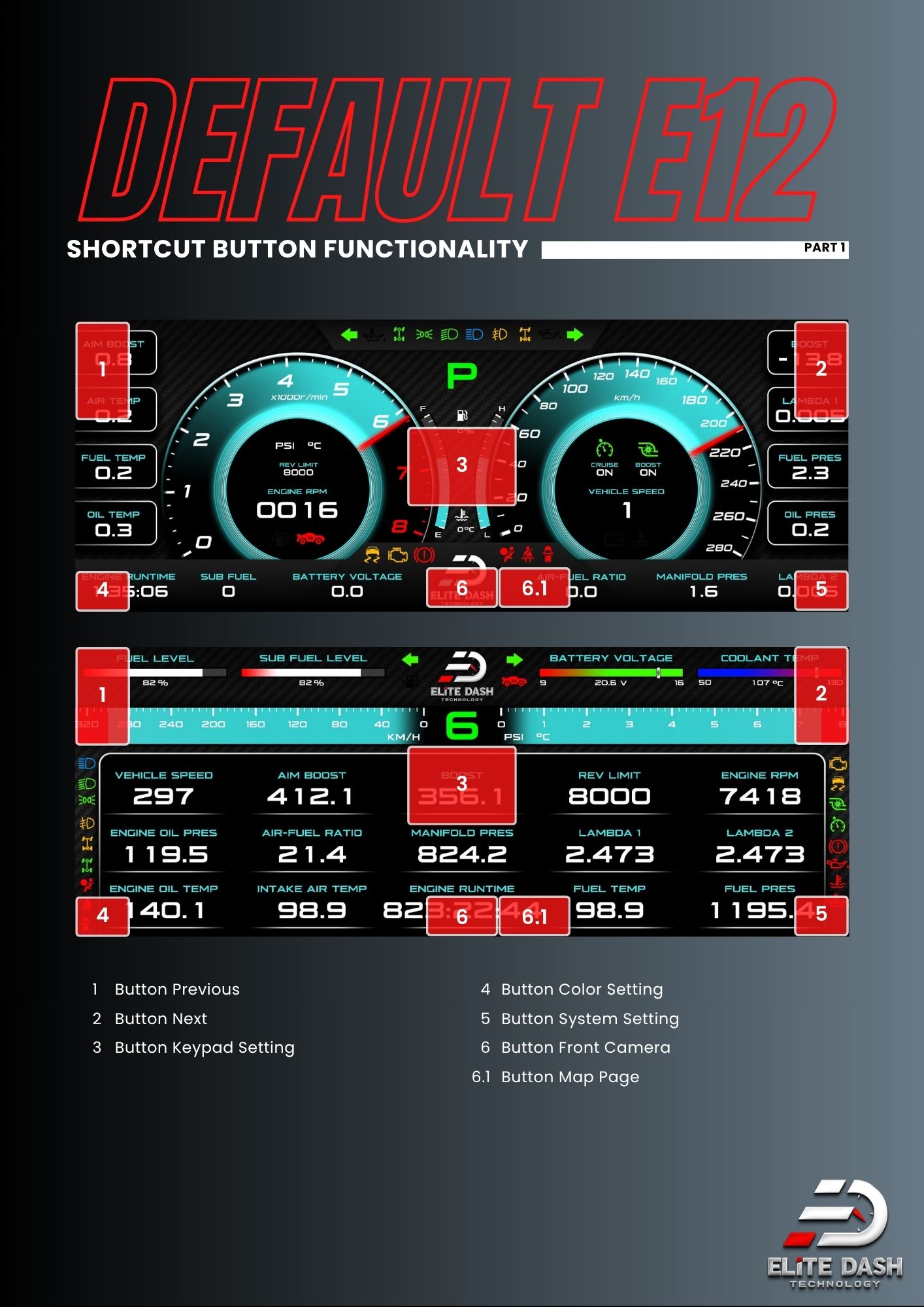
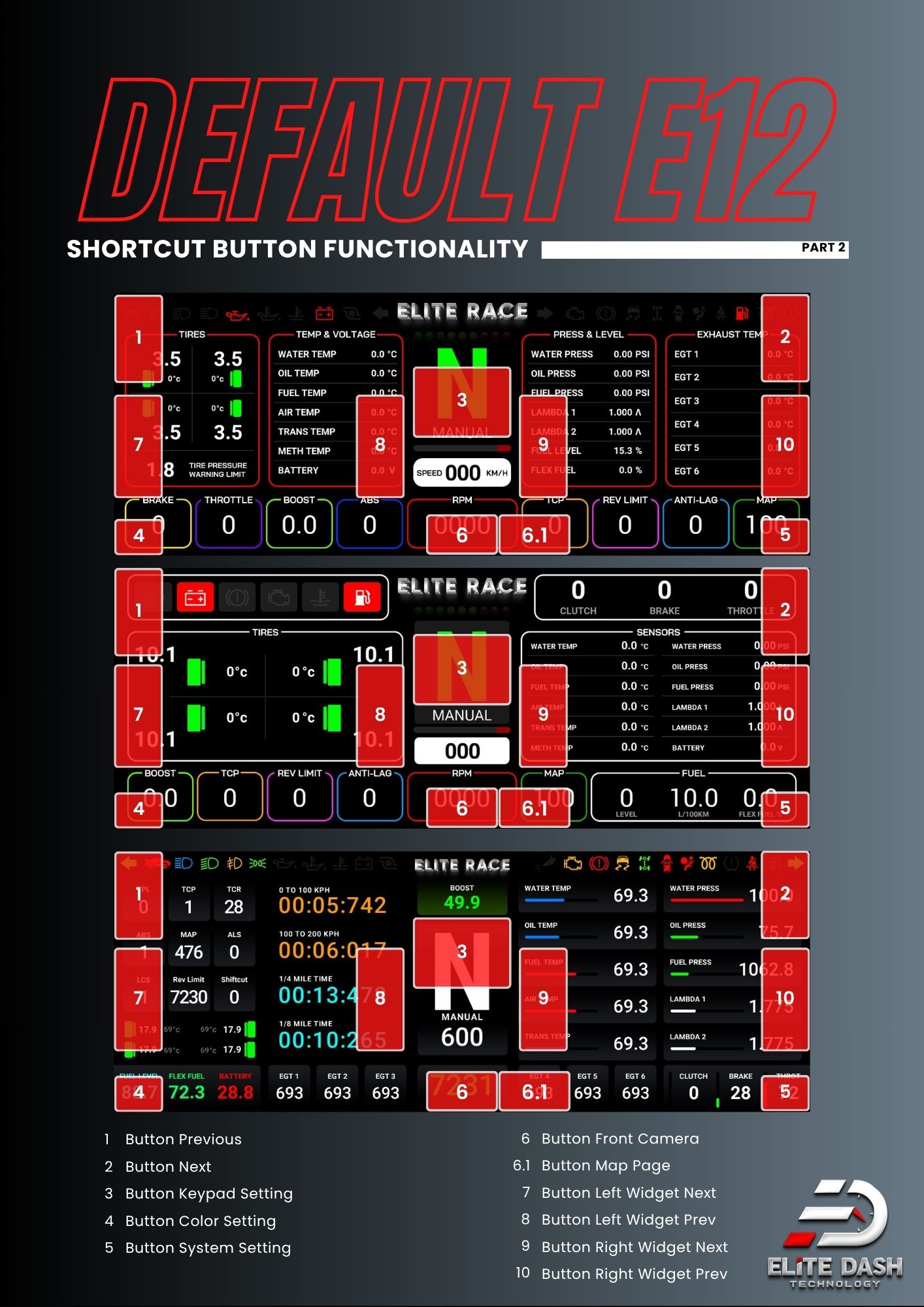
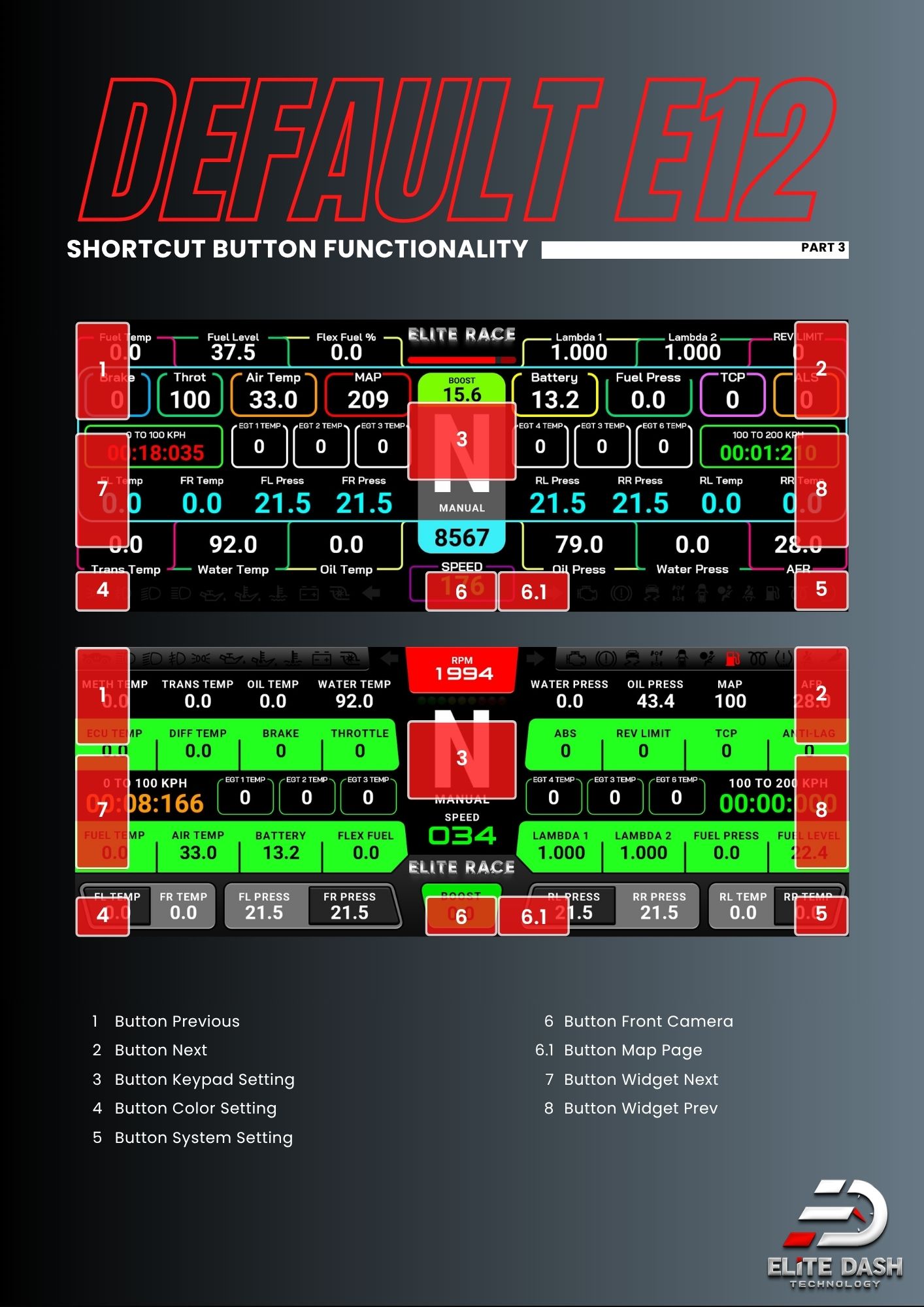
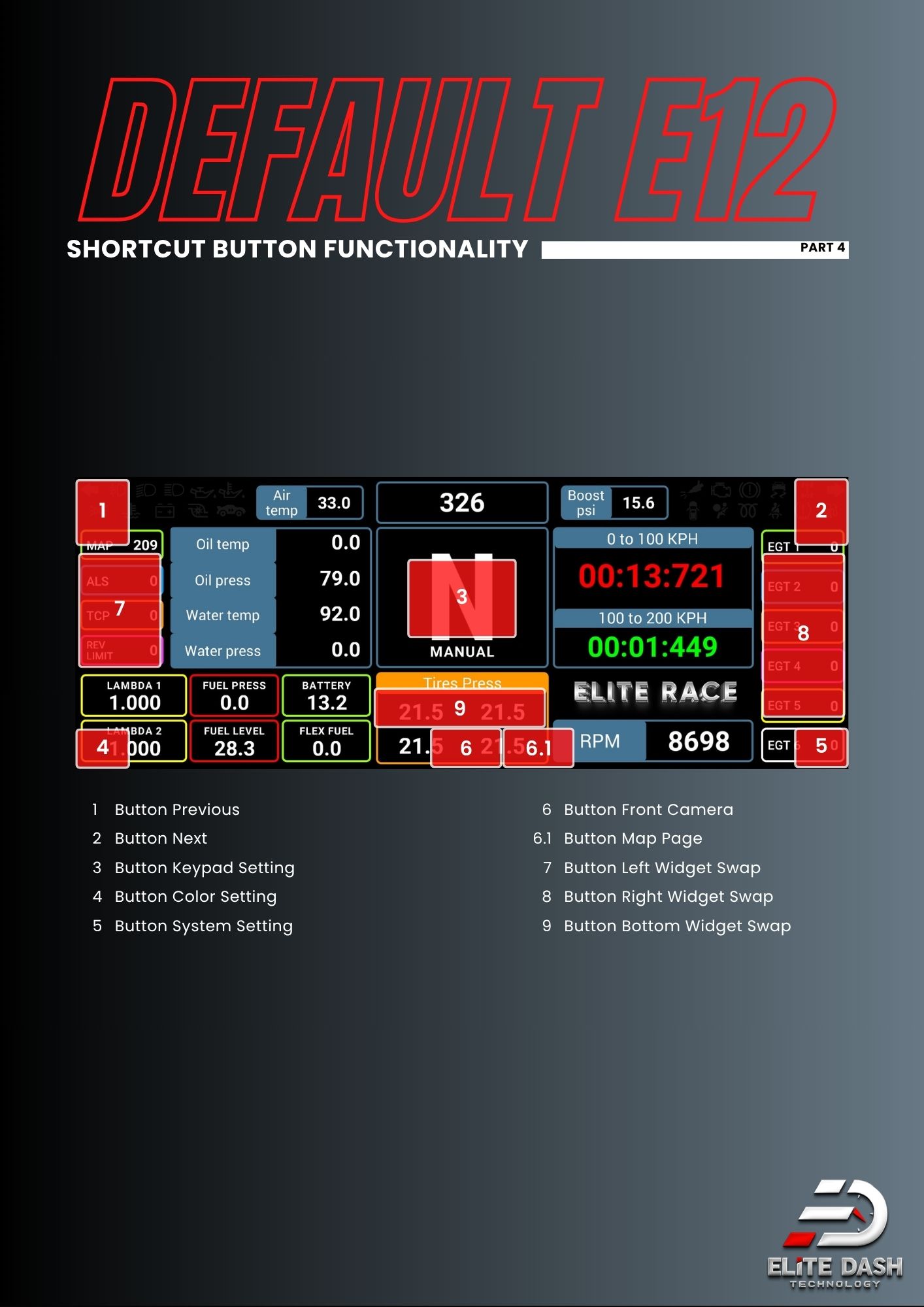
The default E-12 layout uses seven shortcut buttons on the dashboard face.
| Button | Function |
| 1 | Previous page |
| 2 | Next page |
| 3 | Keypad Setting |
| 4 | Color Setting |
| 5 | System Setting |
| 6 | Front Camera |
| 6.1 | Map Page |
Some default pages add four more: Widget Left Swap, Widget Right Swap, Graph Previous and Graph Next.
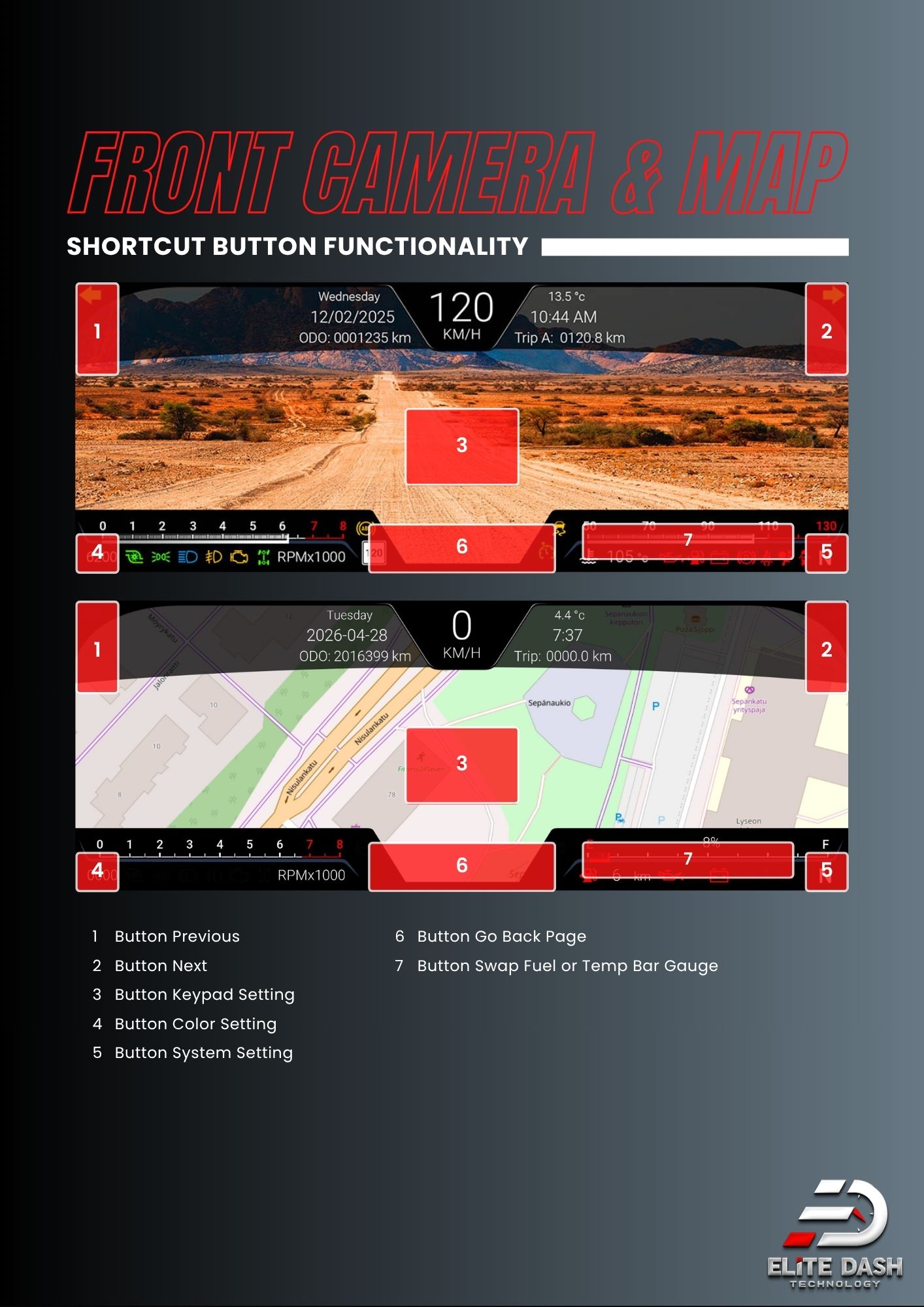
On the Front Camera and Map pages the button set changes: buttons 1 to 5 stay the same, button 6 becomes Go Back Page, and button 7 swaps the fuel or temperature bar gauge.
Screenshot of the default E-12 page with each button numbered directly on the image and the function list beside it.

Related: E-12 Shortcut Buttons by Theme · How to Change Dashboard Pages · How to Use the Color Slider